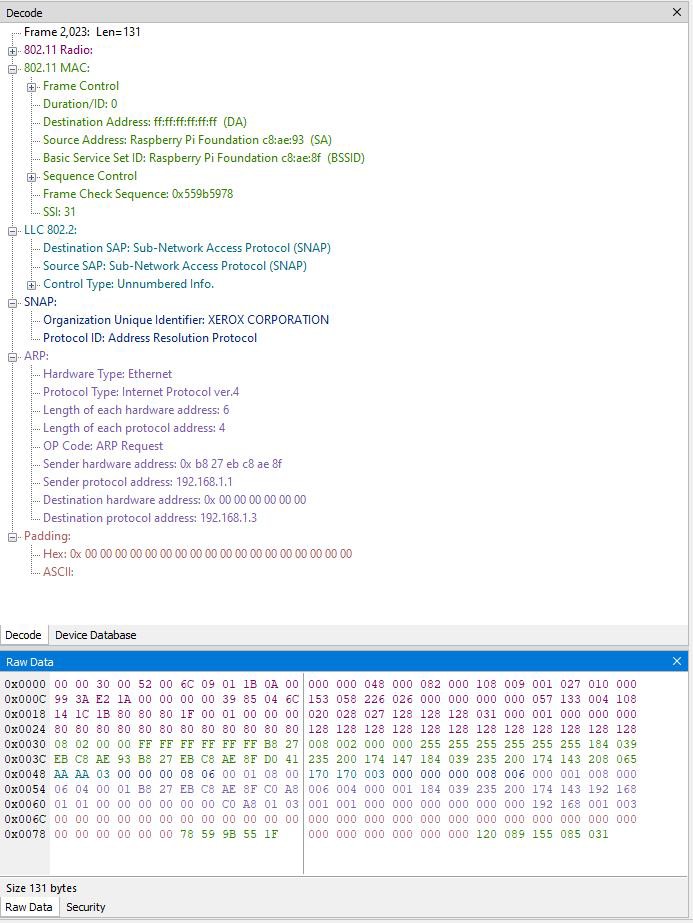
The Raw Data Pane displays the logical bytes in the frame in various formats. It has three sub-panes and the data format for each can be changed independently by right-clicking on the pane.
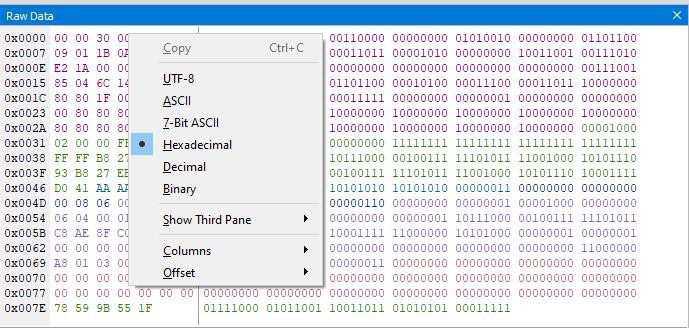
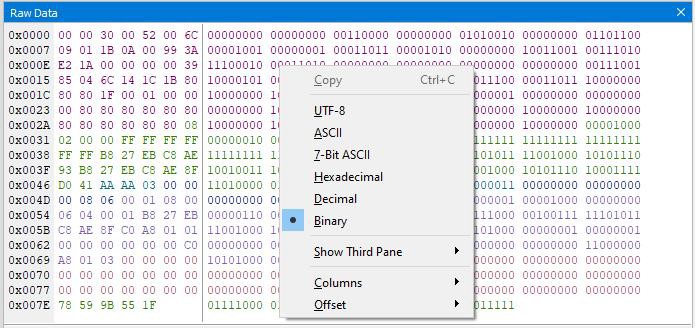
The data format for all sub-panes can be set to UTF-8, ASCII, 7-Bit ASCII, Hexadecimal, Decimal, or Binary.
The Raw Data view supports UTF-8 data display, which can be useful when there are non-ASCII symbols in the data stream, like Japanese, Korean or Chinese characters.
-
The host communication over Ethernet for multiple X240 and eExcursion Mode is not supported.
-
On certain non-English OS, such as Japanese, the customer may need to enable UTF-8 encoding support on their computer to temporarily resolve the issue. This will be fixed in the next release.
Not all the fields in the decode pane will highlight values in the raw data pane. Some of the decode pane values are added to improve readability, such as the LE Uncoded PHYs mandatory fields "Preamble" and "Access Address" which are not included in the decoded packet values. Additionally, some of the displayed raw data values at the start of the frame are metadata, such as RSSI and not decoded packet values.
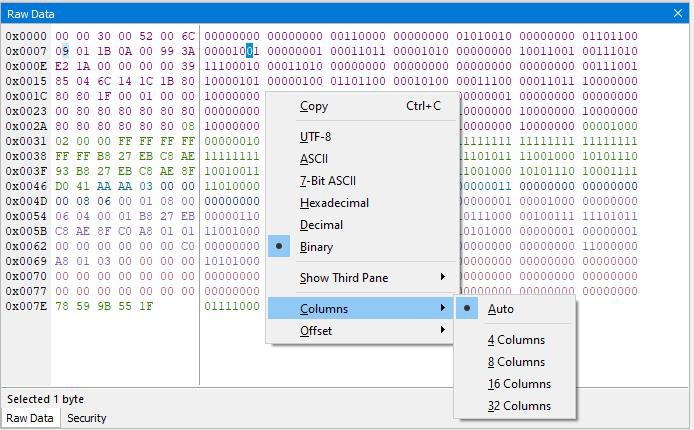
The number of columns in the first sub-pane is set to “Auto” to adjust automatically according to the width of the pane. Users can change the number of columns by right-click and choose “Columns” and options 4, 8, 16 or 32 columns.
The Summary, Raw Data and Decode panes are all synchronized with one another. Clicking on an element in any one of the panes highlights the corresponding element in all the other panes.
The information on the bottom of the “Raw Data Pane” shows the number of bytes in a frame. Selecting bytes of either of the two sub-panes shows the number of bytes selected.
The Raw Data Pane shows two sub-panes by default. You can open a third sub-pane using “Show Third Pane” menu item from context menu.
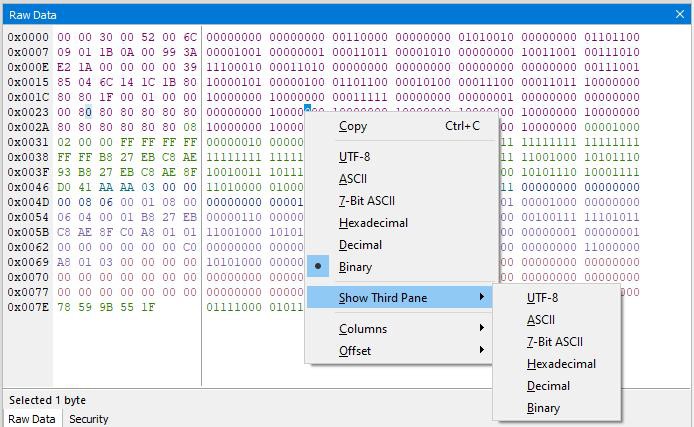
The third sub-pane always opens in the rightmost position of the Raw Data Pane.
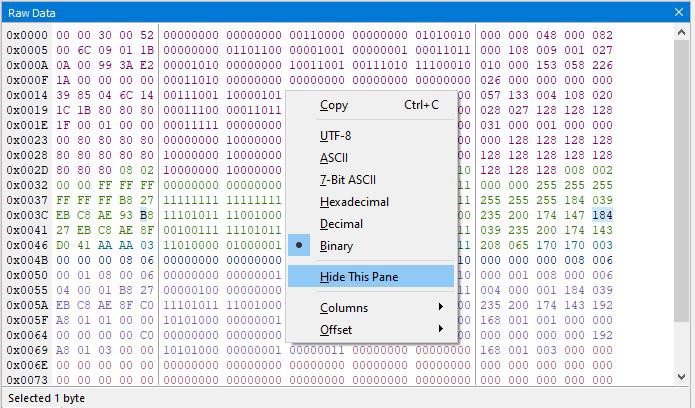
In three sub-pane mode you can close one sub pane using the “Hide This Pane” menu item from the context menu. The sub-pane, for which the context menu is called, closes.
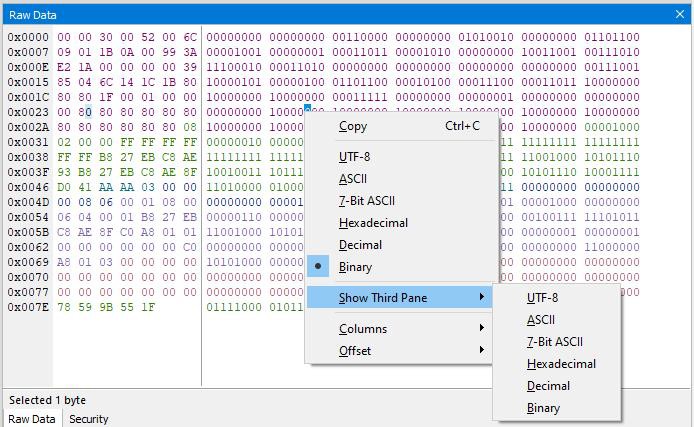
The data on sub-panes shows in assorted colors. These colors correspond to the layer colors on Decode pane.