
In this section the Wireless Protocol Suite software is used to configure an analyzer for capturing data.
Configuration and I/O for Bluetooth Data Capture
User Configuration Overview
The Frontline Bluetooth Protocol Analyzer is capable of simultaneously capturing and demodulating RF channels and packet types defined in Bluetooth Specifications up to and including 5.1. The user is not required to specify the addresses of the devices to be captured or their roles (central or peripheral) during the connection lifetime. Prior to capturing data, the user does not need to enter any information (PIN, OOB, long term key, link key) used to encrypt or decrypt data. The Analyzer provides live simultaneous capture of all 79 Classic Bluetooth channels and 40 Bluetooth low energy channels storing data for both live and post capture analysis.
Record will activate the analyzer to begin capturing and analyzing data from all Bluetooth devices in range. The user can then select one or more wireless or wired devices for analysis and the analyzer will begin sending captured data that is to/from those devices to the Wireless Protocol Suite software. The data appears in various views: Summary Pane, Message Sequence Chart, Coexistence View, Bluetooth Timeline, Low Energy Bluetooth Timeline, PER Stats, etc.
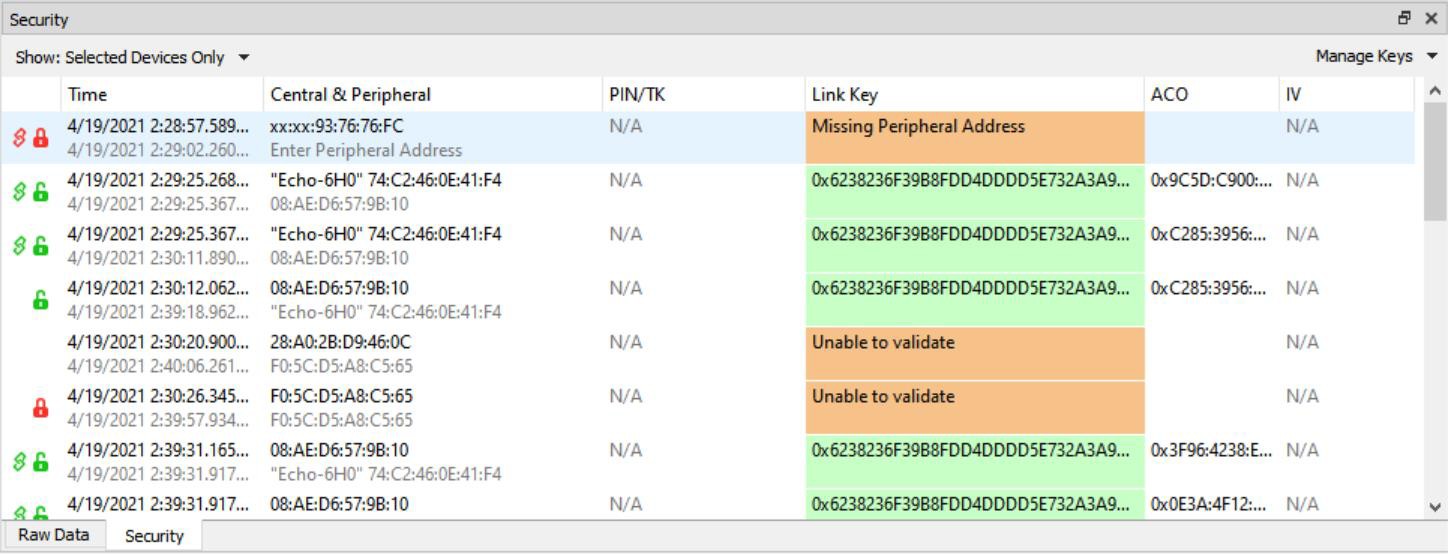
If any keys needed for decryption are known from past captures those keys are automatically applied to the devices under test. If new keys are needed for decryption, the user can enter those keys in the Security Pane. The analyzer will identify the specific key necessary for data decryption, for example Link Key, Passkey, PIN, Temporary Key. Decryption keys are entered into the Security pane. The Security pane is available from the View menu.
The user can configure the record options from the Analyzer Toolbar. The default settings are sufficient for capturing most Bluetooth connections. Details of the configuration settings are in the Wireless Protocol Suite Hardware and Software User Manual available to download from teledynelecroy.com or in Frontline on-line help.
Standard Capture Scenario
In the standard capture scenario, the analyzer is connected to a host computer via the rear panel PC HOST interface and captures live “over the air” data exchanged between two Bluetooth devices.