
Data View displays data in Hexadecimal and ASCII format. You can search for data by entering criteria in the Search field. Select an option from Columns and Bytes drop-down list to display the data. The formats available are:
-
Columns: 1,2, 4, 8 and 16
-
Bytes: 1,2, 4, 8 and 16
Click the Export button to display the Save Data Payload dialog to save the data.
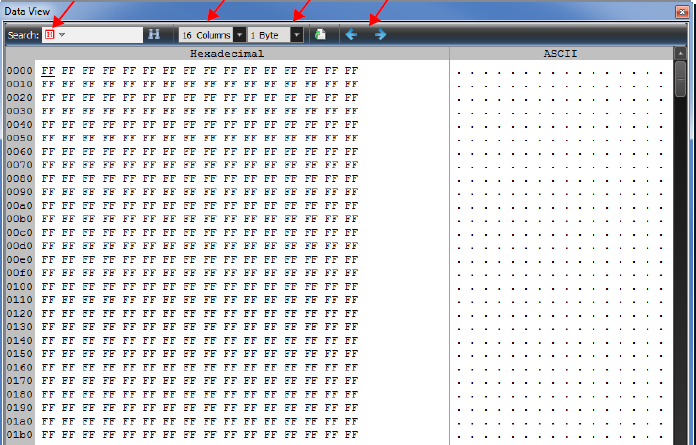
Data View Toolbar
-
Search Window (Hex or ASCII)
-
Search Icon
-
Column Width (1 to 16)
-
Bytes per Column (1 to 16)
-
Export to File
-
Move to Previous Payload
-
Move to Next Payload