
Round-trip time, also called round-trip delay, is the time required for a signal pulse or packet to travel from a specific source to a specific destination and back again. In this context, the source is the computer initiating the signal and the destination is a remote computer or system that receives the signal and retransmits it.
RTT for TCP
Net Protocol Suite tracks the RTT of each TCP segment, based on SeqNo and ACK, on a per-connection basis.
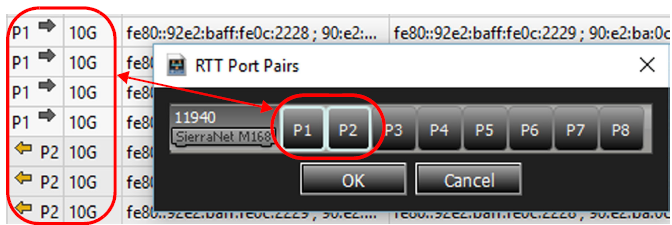
If you select RTT Pairs from the Analysis tab in the Main Toolbar, the following dialog will pop up showing a lot of activity on Ports 1 and 2. Select those port and click on OK.
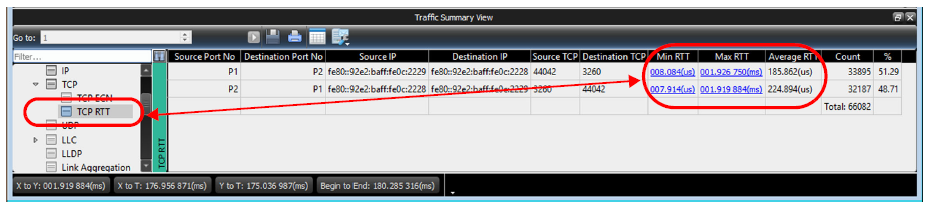
If you open Traffic Summary View, you’ll see Min RTT, Max RTT and Average RTT.
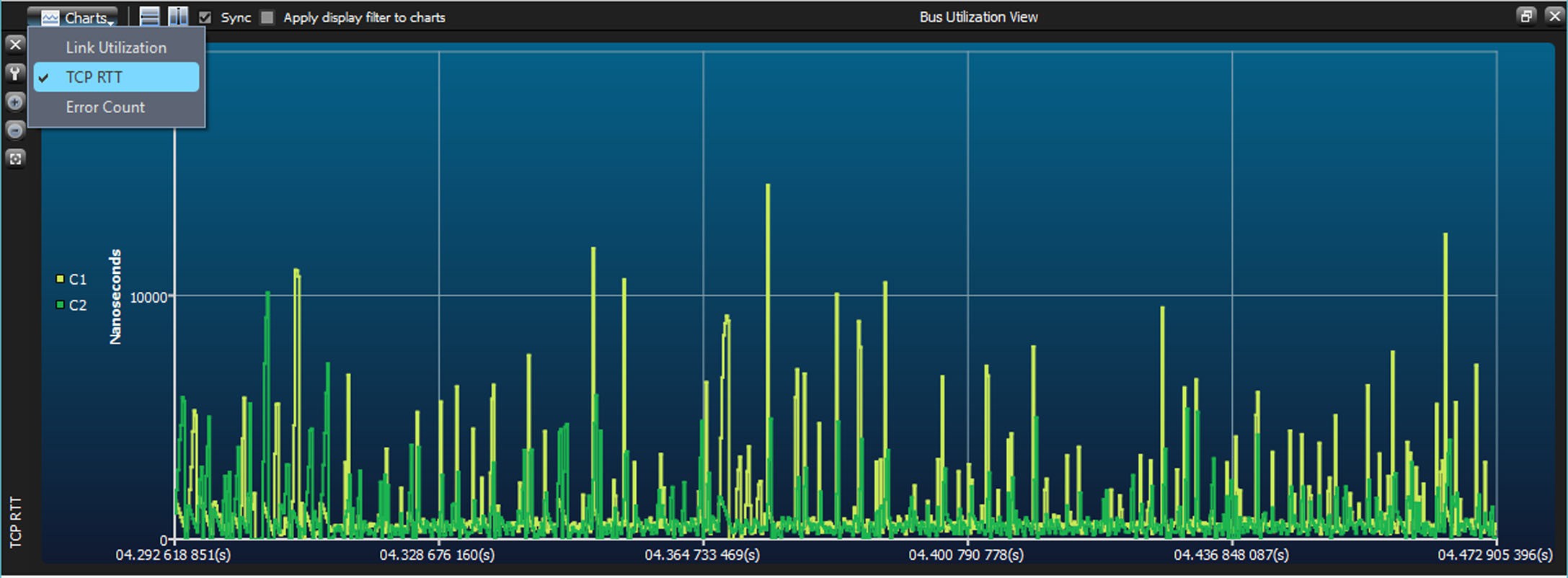
You can also see more details of the RTT in the Bus Utilization View.
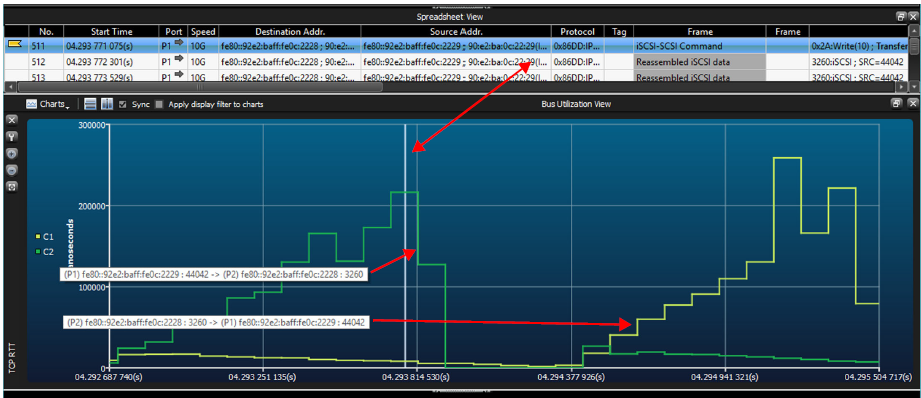
You can zoom in to a transaction of interest to get more details. You can also scroll over the C1 and C2 labels to see timing from Port 1 and Port 2 and from Port 2 to Port 1.
RTT for RoCE v2
RTT analysis is fully supported for RoCE v2 RC connections. Support for RoCE v2 RD and XRC connections is experimental.
RTT for FC
Net Protocol Suite tracks the RTT of FC commands only. It is calculated based on the latency of the command. See RTT for TCP for configuration details.