
Use the Device pane to add or remove a device in the chain of attached devices and assign each device to a different project. First, add a device before activating it:
-
Click Setup > Device Management.
-
To select a device, drag-and-drop it onto the Project Device Pane.
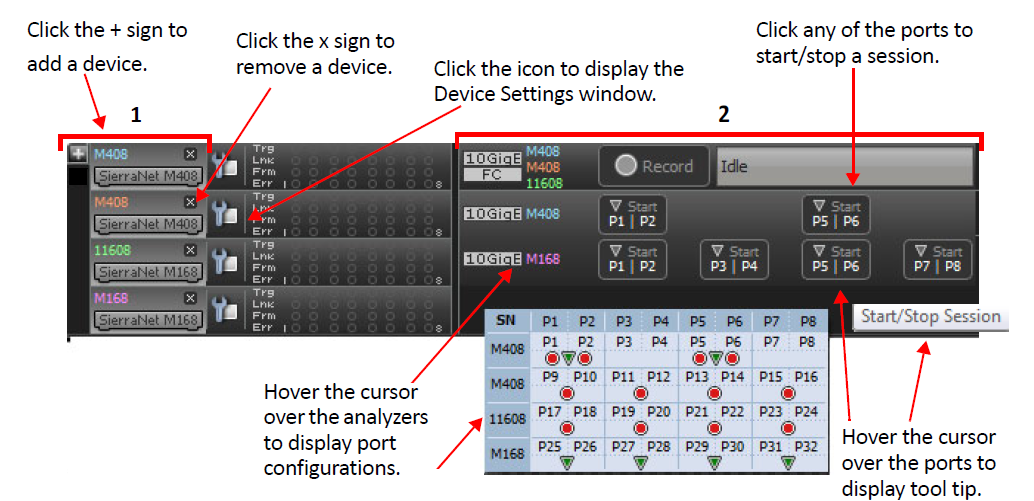
You can have multiple projects assigned to different devices. A single project will automatically connect to an active device. Right-click on a device and select Activate to start the device. Click the X icon to disconnect the device.
-
Presents a physical representation of the analyzers
-
Presents a logical representation of the analyzers
Perform the following steps to add a device.
-
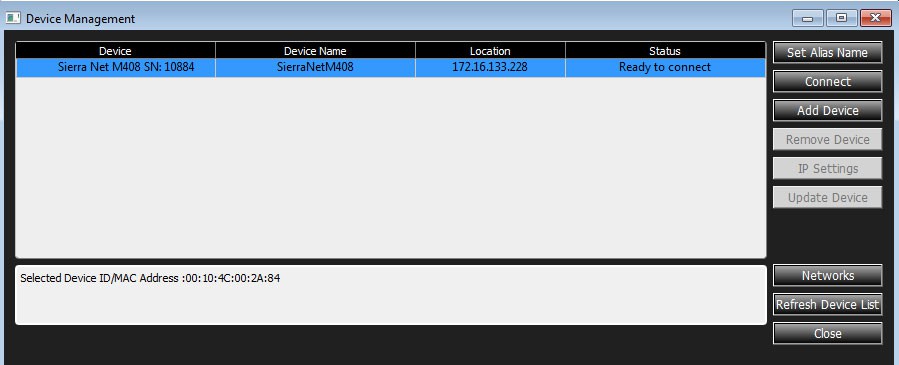
Click Setup > Device Management to open the Device Management window.
-
Click on the selected Device, then click Connect.