v10.50 v10.55 Alpha v10.54 Alpha v10.53 Alpha v10.52 Alpha v10.51 Alpha

Enable Sync Traces (Used with Hub Compliance)

This button att_5_for_337052411.jpeg causes the upstream and downstream traces to be time synchronized for scrolling, etc. This only works on traces that are recorded at the same time by two analyzers during Hub Compliance testing, as the Compliance program identifies and marks both traces as being recorded simultaneously during a particular test scenario.

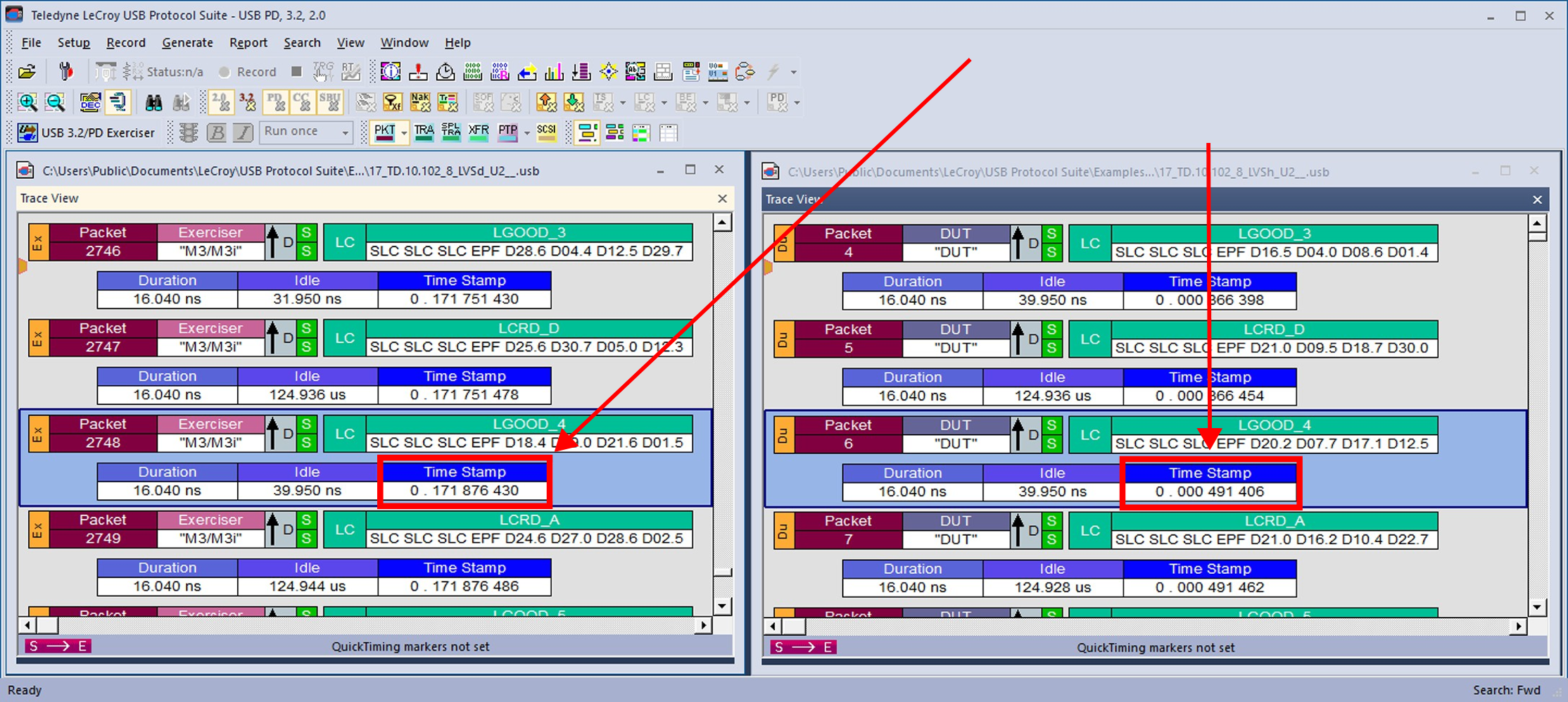
In the first example two traces have been loaded, but “Enable Sync Traces” is not turned on. See below.
syncnotenabled.png
Two Traces Loaded without Enable Sync Traces

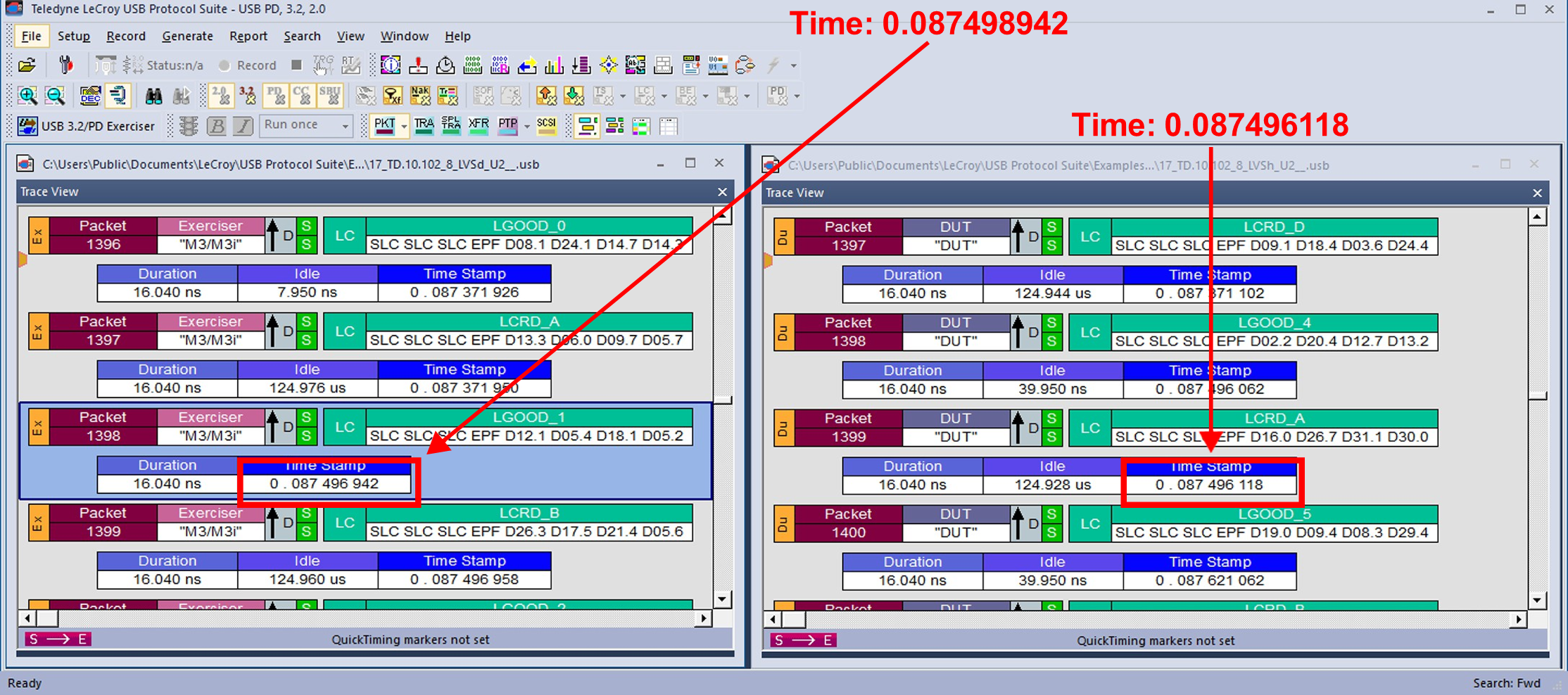
Now select the att_6_for_337052411.jpeg button on the View Menu. The result can be seen below. The two views will remain time-synchronized when scrolling or when moving to a different packet via selection or searching.

NOTE: This feature is limited to packets that are captured close to each other in time.
syncenabled.png
Two Traces Loaded with Enable Sync Traces Enabled