
You can select what information to display in Trace Views using the Display Options window. To open the Display Options window, do one of the following:
Select Display Options under Setup on the Menu Bar. OR
Click 
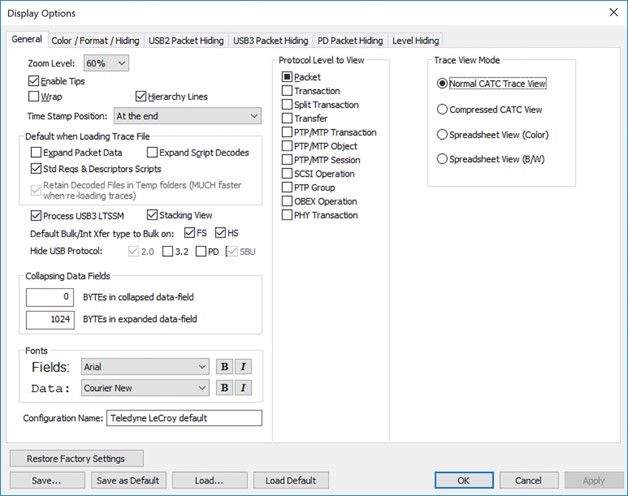
You can select General, Color/Format/Hiding, Packet Hiding, and Level Hiding display options.