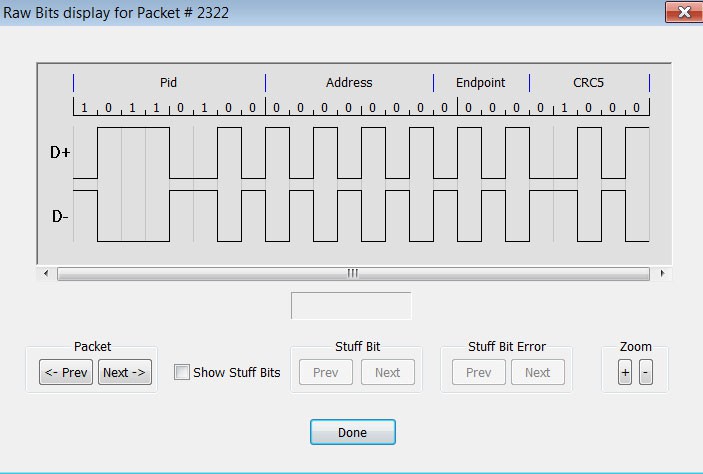
You can expand a specific packet to view the raw bits in detail. To view raw bits:
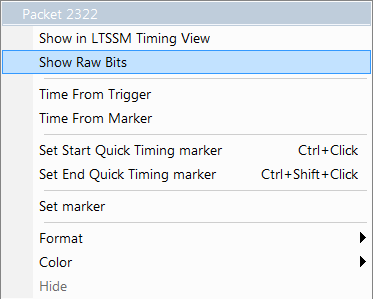
-
Right-click Packet # for the packet to view, to display the Packet menu.
-
Select Show Raw Bits to display the Raw Bits View for that packet:
-
Along the top of the Raw Bits View is a linear strip of the logical bit values with corresponding field demarcations.
-
Bit stuffing is in color.
-
Below the logical bit values is a representation of the D+/D- signaling, complete with NRZ encoding.
-
A scrollbar assists in navigation of larger packets.
-
Use the two buttons under the label Packet to view previous or next packets.
-
Two buttons under the label Zoom allow you to zoom in or out on packets.
-