
This feature puts a group of packets in one row to shorten the display. Stacking conserves space in the Trace View by displaying repeating items (or item groups) as one item, along with the number of repeats. The item types that are included in a stacked entry are shown in the solid colored square fields, which appear when stacking is invoked. Additionally, you can hold the mouse over the packet/transaction field to see the count and types of items.
-
For USB 2.0, stacking items (or item groups) can be SOF, Chirp (merges Js and Ks into one stacked display unit), or NAK'ed (split) Transaction.
-
For USB 3.2, stacking items (or item groups) can be TSeq, TS1 with same Link Functionality, TS2 with same Link Functionality, LFPS with same Type, LUP, LDN, or NAK’ed Transaction. Configuration Channel (CC) Events can also be stacked. See images below.
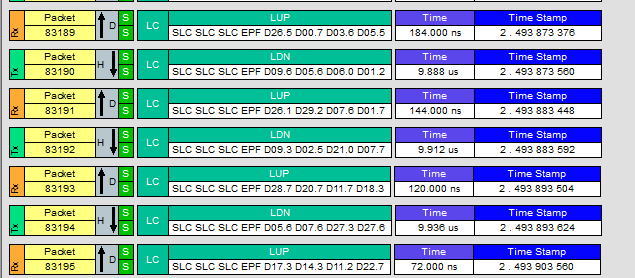
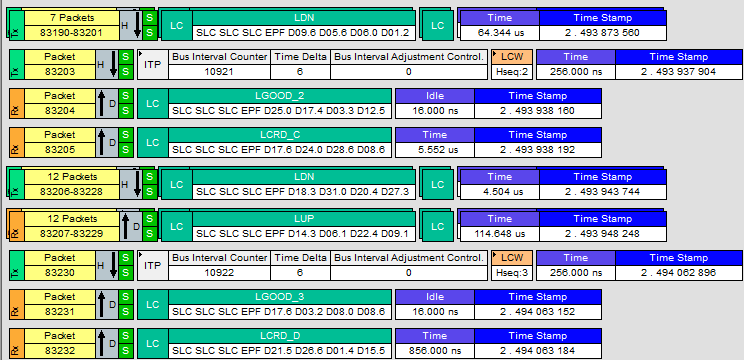
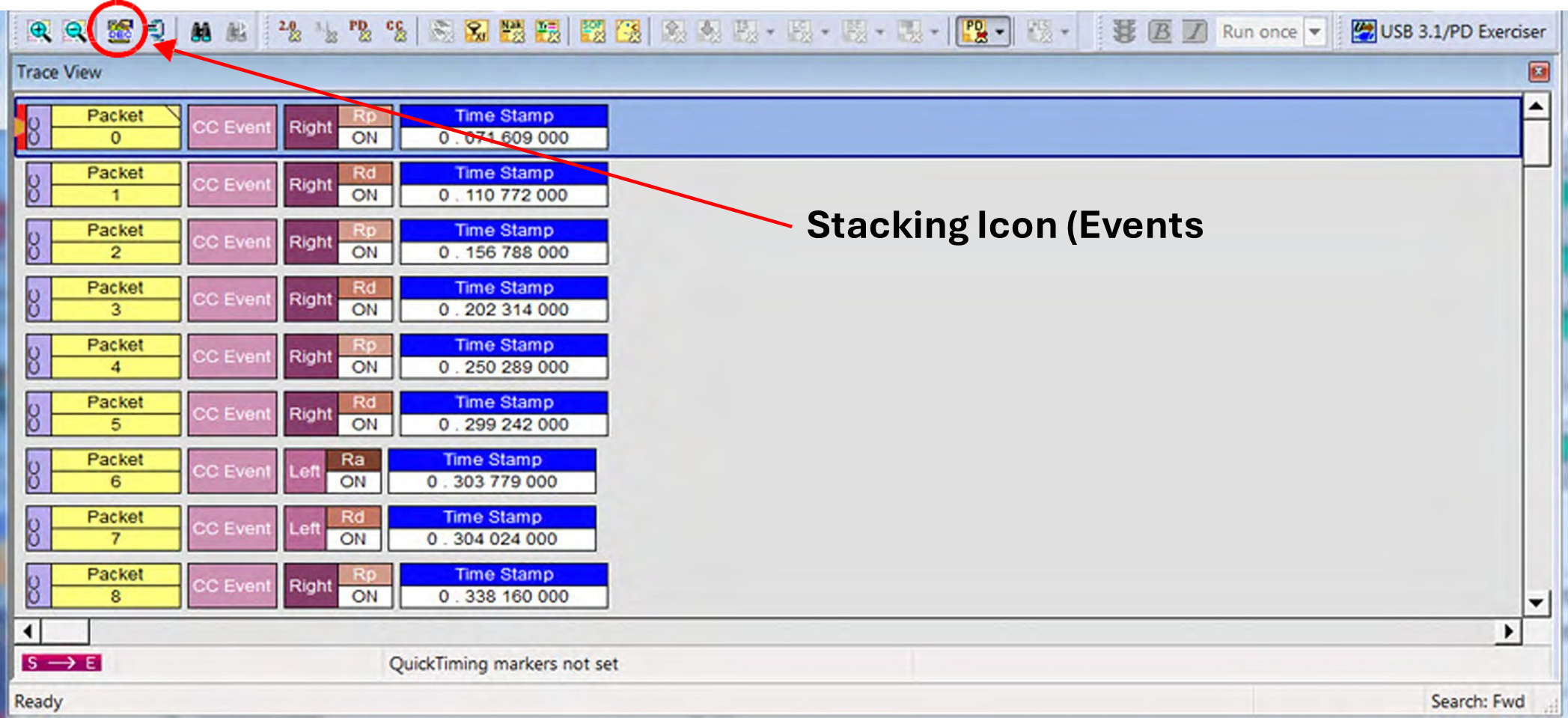
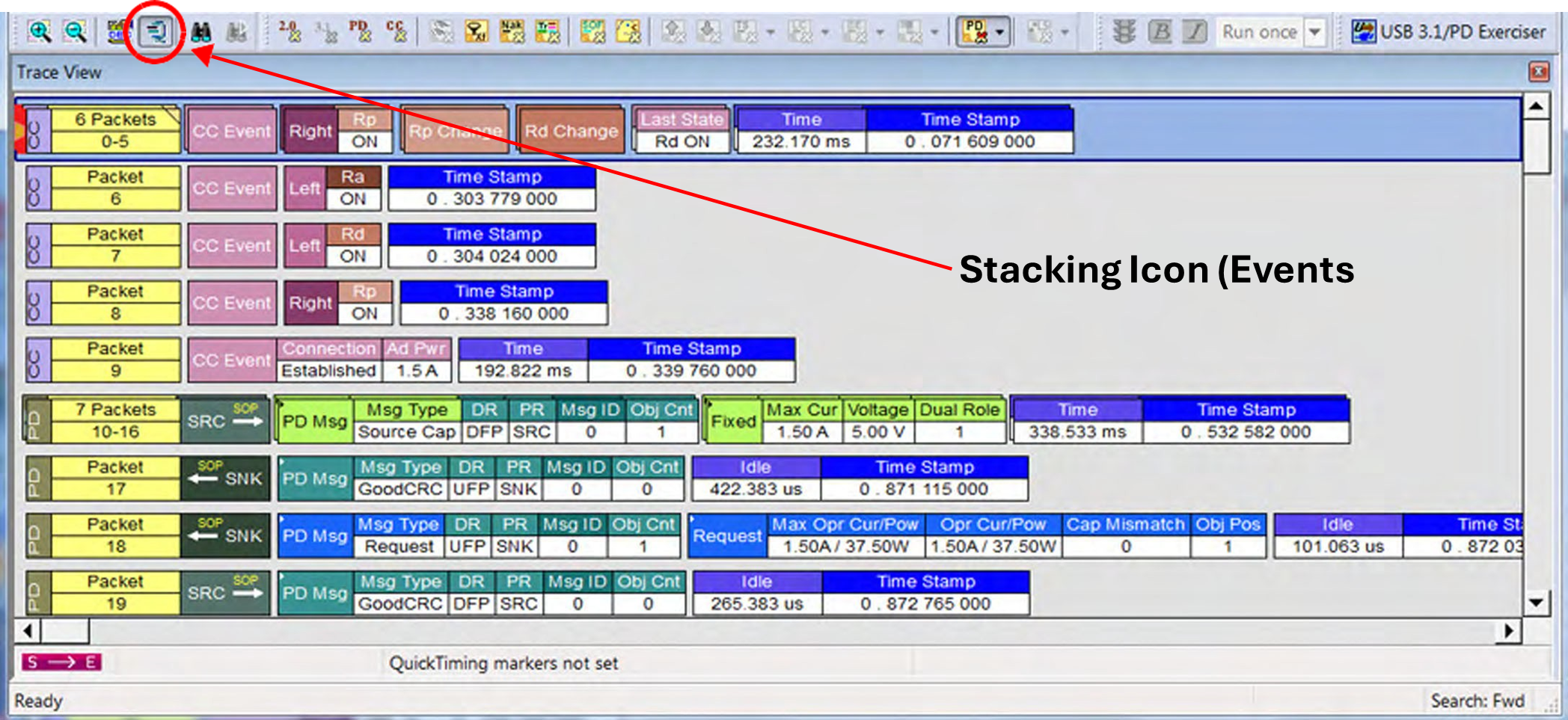
NOTE: Items are grouped regardless of any intervening Skip Sequence, Electrical Idle, or Logical Idle symbols. If any of these occur during a stream of the repeating stacking item, they are not displayed.
NOTE: Unexpected 3.2 Idle times in traces that include Logical Idle and/or SKPs: There will occasionally be “Idle” fields (typically 8ns) between packets which do not seem to make sense within a continuous set of captured data, such as amongst idles and SKPS. These are a by-product of the mechanism which compensates for timestamp/event rate matching between the various time bases. There are 3 clock domains (Rx, Tx, and our precision timestamp) that need to be represented in the trace. The nominal 2nSec/symbol Transmit and Receive clocks can vary up to 500ppm per the USB Specification, whereas the analyzer is accurate to 3ppm. The small idle time at the end of a packet is there to compensate for this clock drift difference between the protocol clocks and our precision clock, and to try to maintain the most accurate relationship amongst these clocks. The Timestamp field is always based on our 3ppm clock timestamp.