
Traffic generation is performed via the execution of text-based scripts. These scripts contain statements about the types of traffic to be generated. These script files can be edited with the Script Editor utility provided by the application.
Launching the Exerciser Script Editor
To start the exerciser:
-
Launch the NET Protocol Suite software.
-
Select File > New Project.
-
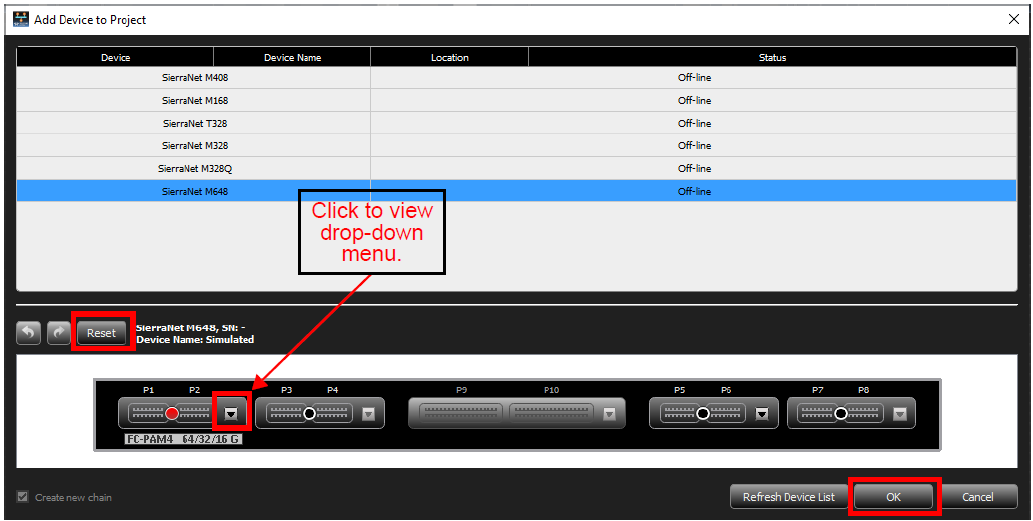
With the appropriate device selected, click

-
To set up the port configuration:
-
Click the drop down arrow next to the active ports to configure.
-
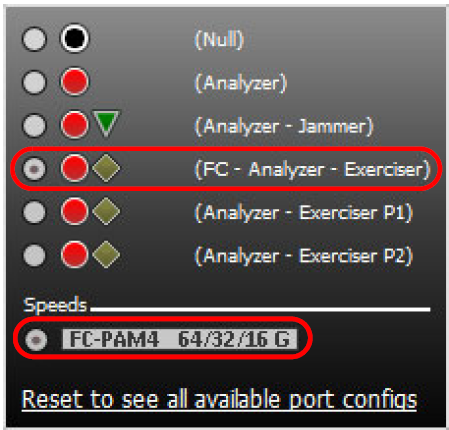
Select an Analyzer or Analyzer/Exerciser configuration.
-
Select an available FC speed.
-
Click OK.
-
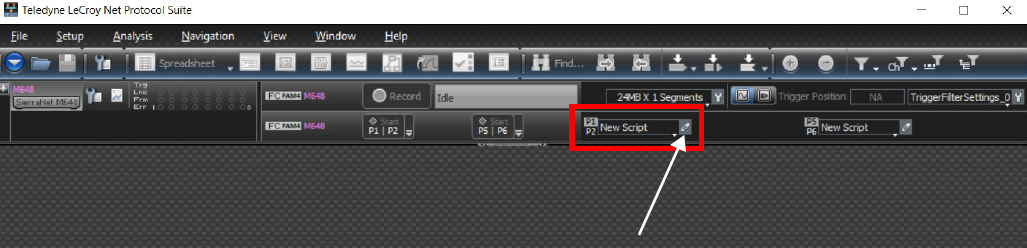
The Main Screen appears with New Script Icons for each Initiator/Target pair.
-
Click the small pencil icon next to the New Script tab to open the Exerciser Script Manager.
For more information, see Exerciser Script Manager and Port Configuration.
Exerciser Script Manager
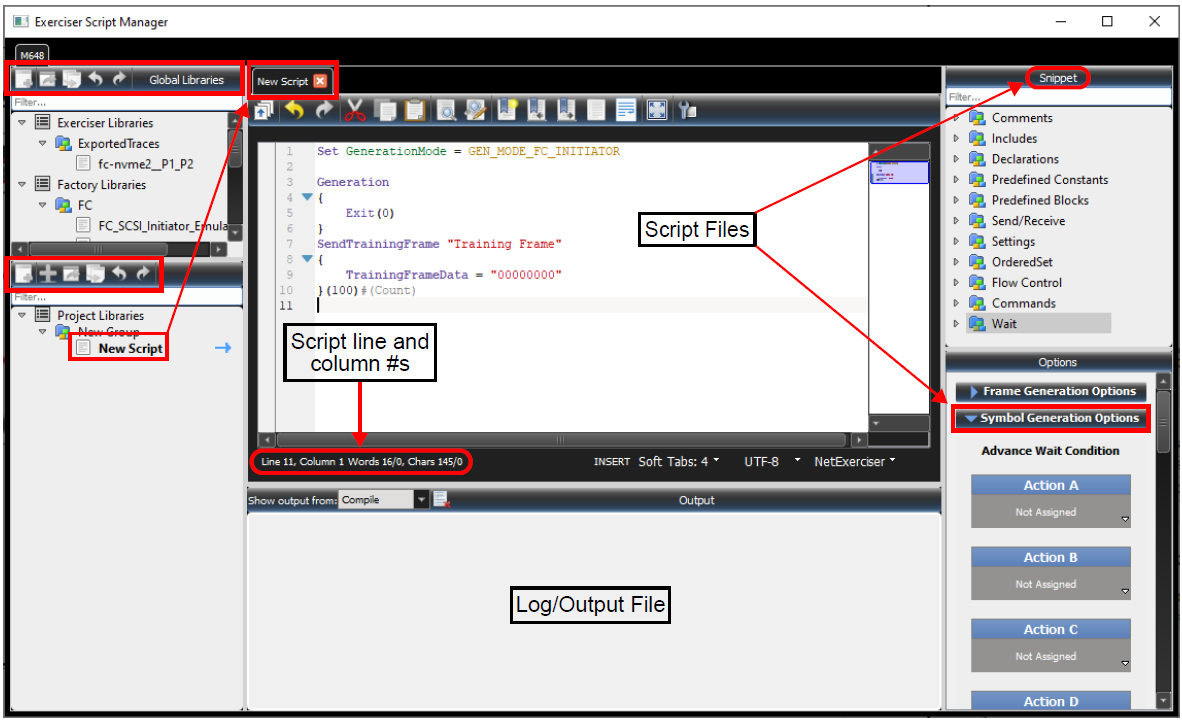
The Exerciser Script Manager dialog has the following sections:
-
Global Libraries: See Global Libraries Panel – Exerciser Libraries.
-
Project Libraries (See Project Library Panel.)
-
New Script Text Editing Window: See Script Text Editor Window.
-
Top: Toolbar
-
Bottom: Status, Controls
-
-
Output Log Window: See Exerciser Output Log Window.
-
Snippet Window: Drag and drop a Snippet into the Scripting Editor to ensure the syntax is correct. See Snippet Window.
-
Generation Options Window: Used when you need an Advance Wait Condition.