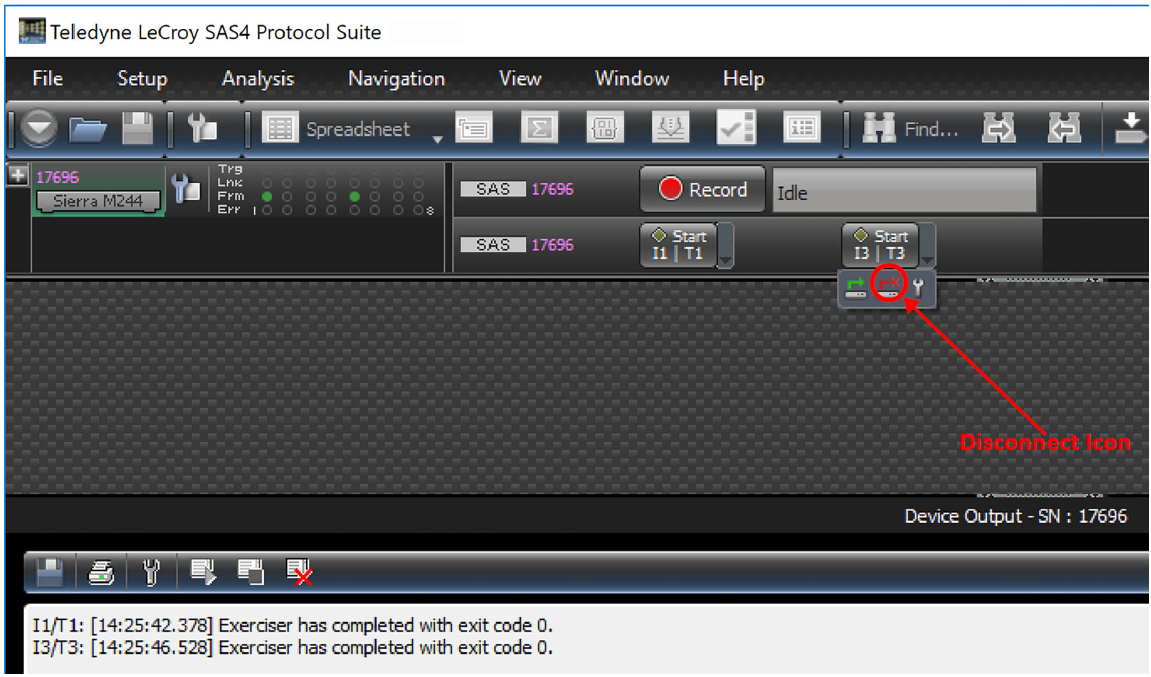
To launch an exerciser script:
-
From the Exerciser Script Editor, add some Sample scripts to your Project.
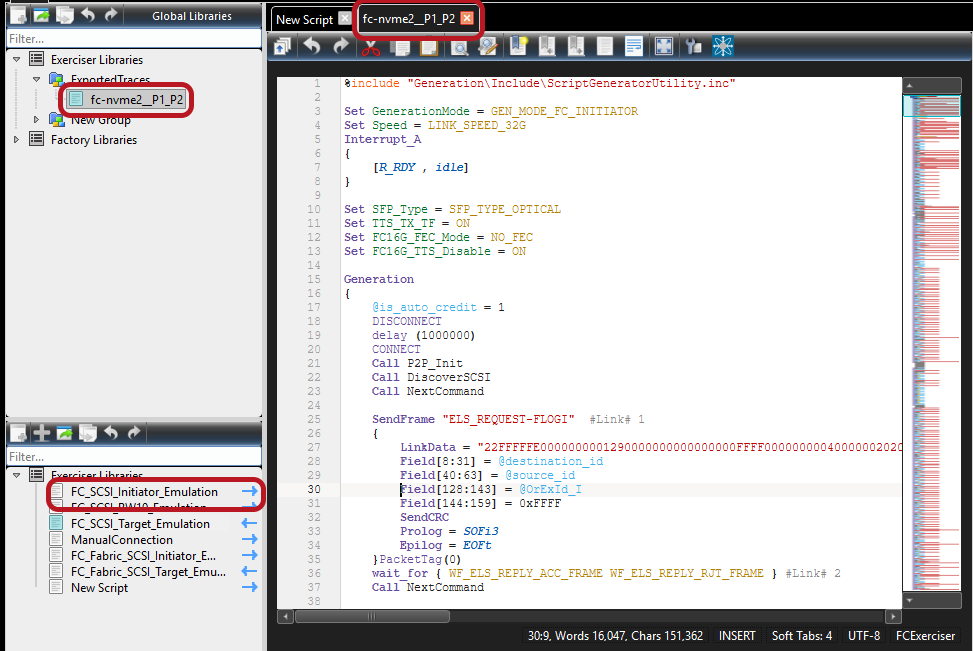
-
Close the editor and return to the NET Protocol Suite Main Menu.
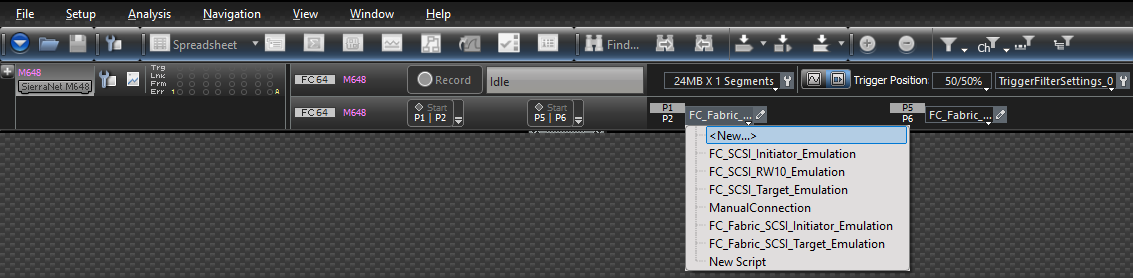
-
Select one of the available scripts, then click the respective port Start button to execute the script.
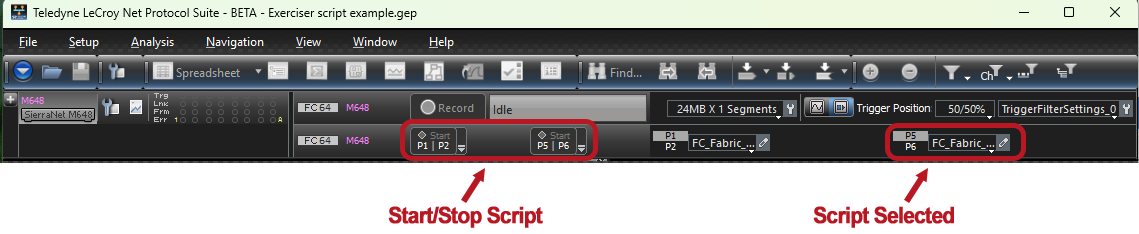
Connection Setting Button
If you select the small black down arrow next to the Start/Stop Session tab, you will see the Connection Settings for your analyzer.
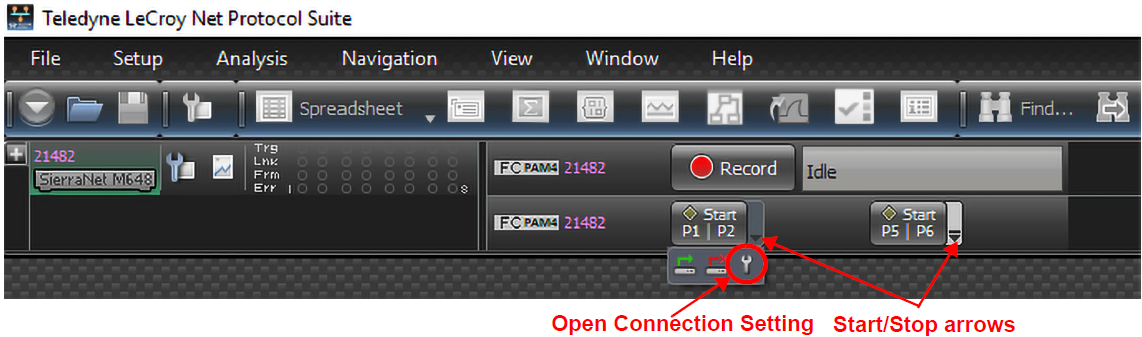
To open the Connection Setting dialog, select the wrench icon.
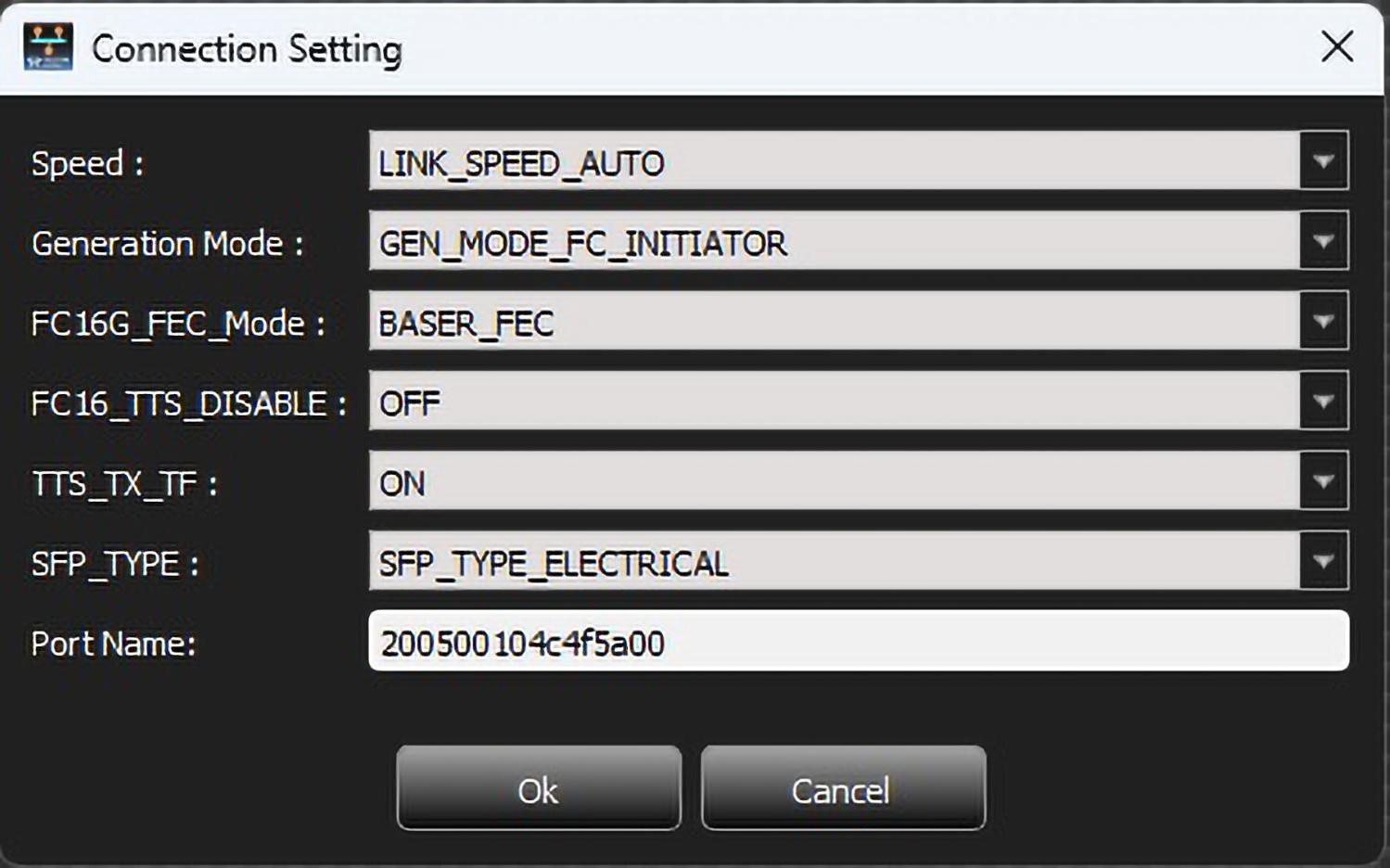
Connection Setting options are:
-
Speed
-
Generation Mode
-
FC16G_FEC_Mode
-
FC16_TTS_Disable
-
TTS_TX_TF
-
SFP_TYPE
-
Port Name
Use the drop-down arrows to choose the Connection Settings, then click OK.
Connect/Disconnect
-
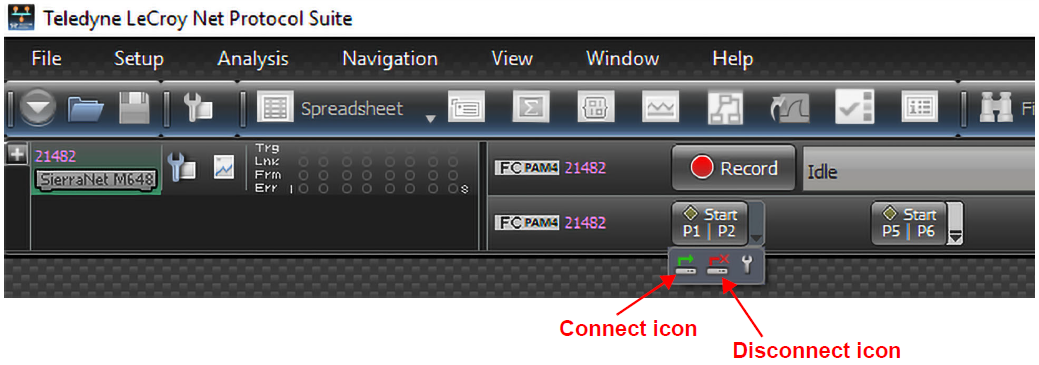
Click the small black down arrow to the right of Start P1|P2 to select from the following:
-
Connect icon to start the Exerciser executing the script (with the link up)
-
Disconnect icon to stop the Exerciser and take the link down.
-
-
If you connect both P1/P2 and P5/P6, both links are connected and linked up.
-
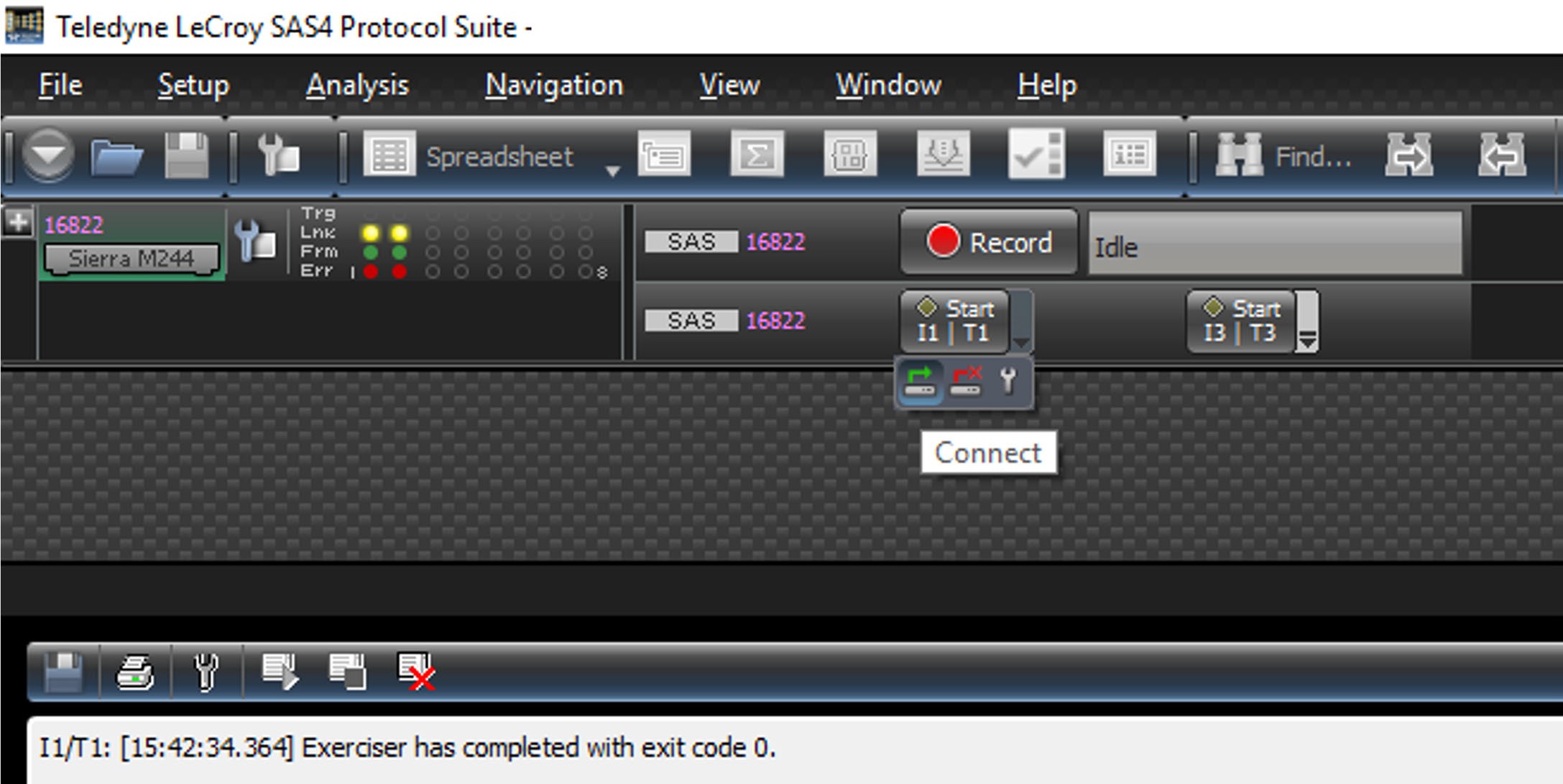
If you select the Disconnect icon below the Start/Stop button, the link between the Initiator and Target will go down.