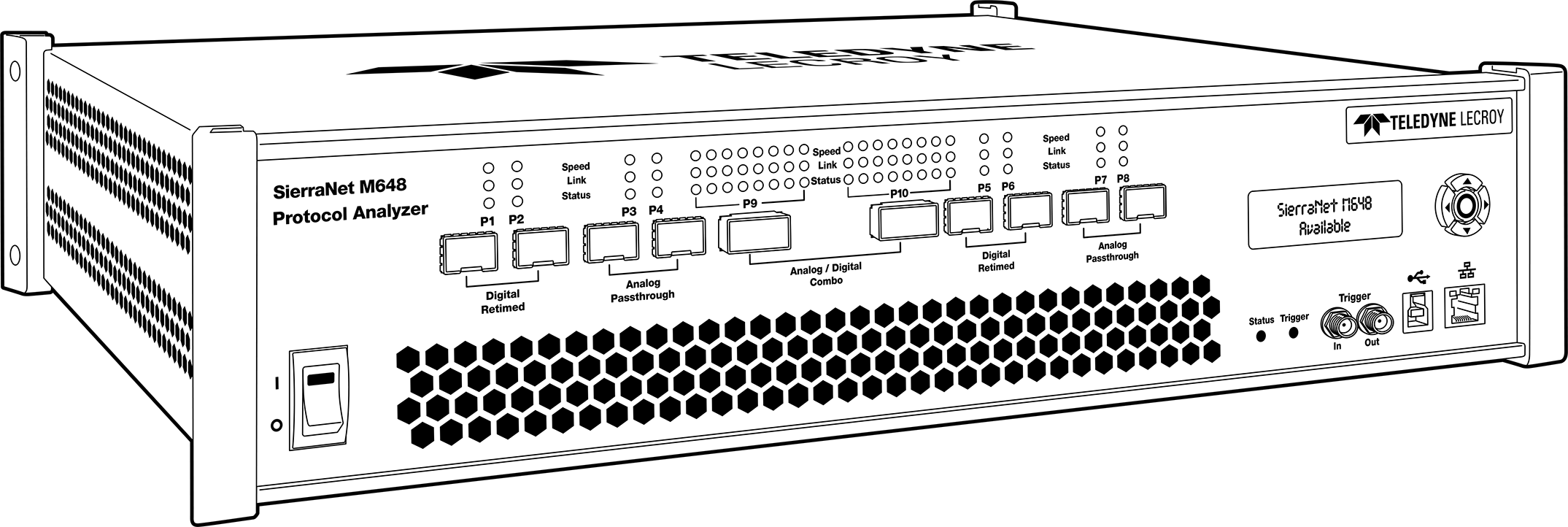
The SierraNet M648 analyzer is Teledyne LeCroy’s SFP+ 10/25/40/50/100/200* Gigabit Ethernet (*via the QSFP-DD connections) and Gen6 Fibre Channel Analyzer platform. It has four (4) Analog Pass Through SFP-56 ports; four (4) Digitally Retimed SFP-56 ports and two (2) Analog Pass Through/Digitally Retimed QSFPDD-56 ports. Up to 64 GB of capture memory allows for capturing of extensive line-speed data. The SierraNet M648 employs Teledyne LeCroy’s T.A.P.4 non-intrusive probing technology, which enables complete protocol capture, fast signal locking, and very little loss and jitter. The analyzer can be controlled either by using a one (1) Gigabit Ethernet connection to the local network, or a USB connection.
The SierraNet M648 provides the user with easy-to-understand control panel and LED indicators. Major features of the M648 include triggering on back-to-back events, use of counters within trigger conditions, and multi-state (up to 24) triggering and filtering state machines with four transitions per state and FlexPort, which allows concurrent Ethernet and FC analysis. The Net Protocol Suite software for controlling the analyzer and displaying the captured data installs on the latest Microsoft® Windows® version.
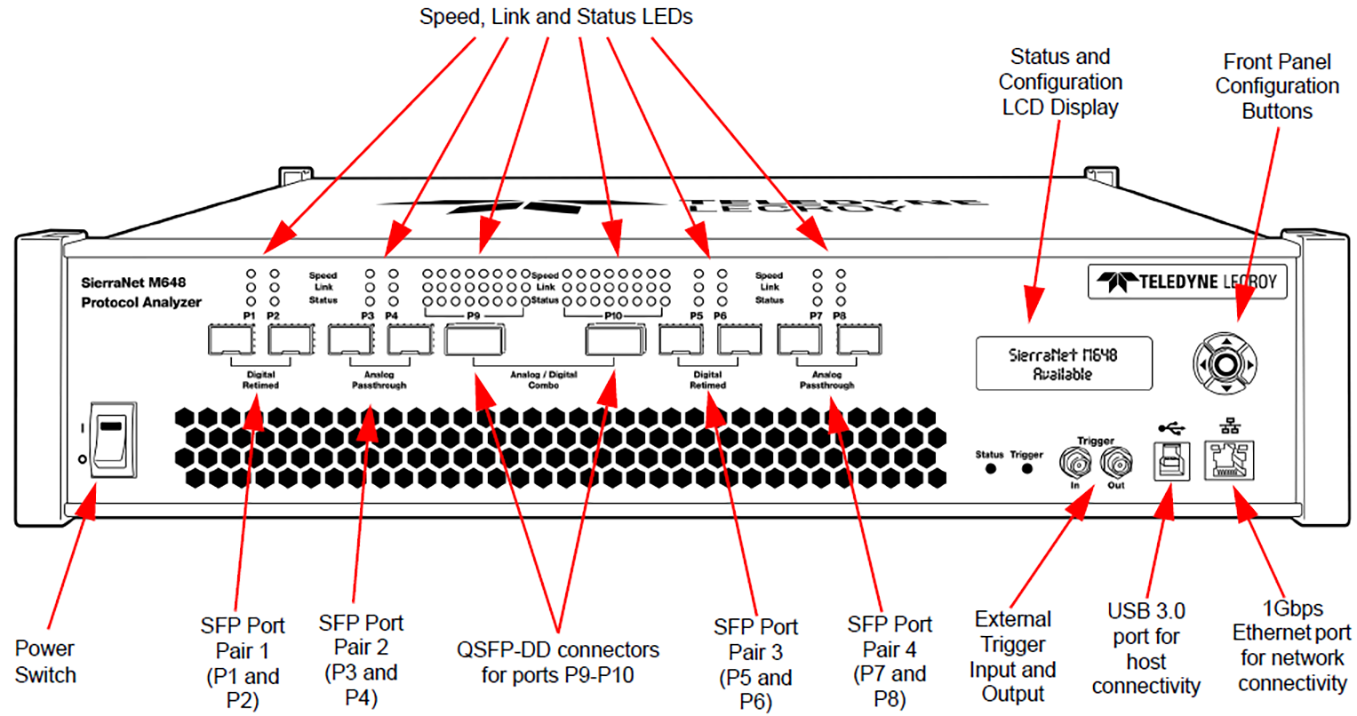
M648 Analyzer Front Panel
The M648 Analyzer has the following front panel features:
M648 LEDs
LED indicators support each port link pair (P1 - P2; P3 - P4; P5 - P6, P7 - P8 and P9 - P10) with the following functionality.
|
M648 LEDs |
||
|---|---|---|
|
|
Ethernet |
Fibre Channel |
|
Speed LEDs (Mode Dependent) |
||
|
Yellow |
|
|
|
Green |
|
|
|
Blue |
|
|
|
Link Activity LEDs |
||
|
Green |
|
|
|
Yellow |
|
|
|
No Color |
|
|
|
Status LEDs |
||
|
Yellow Blinking |
|
|
|
Yellow |
|
|
|
Red |
|
|
|
No Color |
|
|


M648 LED Port Configuration Versus Speed

Port Configuration P1-P8 Speeds
|
Connector Type |
Port Configuration |
P1-P8 Speeds |
||
|---|---|---|---|---|
|
SFP |
10/25G-NRZ |
25G |
10G |
Auto-Negotiation |
|
50G-PAM4 |
50G |
|
Auto-Negotiation |
|
|
|
|
|
|
|
|
32G-NRZ |
32G |
16G |
|
|
|
64G-PAM4 |
64G |
32G |
16G |
|
Port Configuration P9-P10 Speeds
|
Connector Type |
Port Config |
P9 – P10 Speeds (Lanes 1 – 4) |
|||||||||||
|
|
|
L1 |
L2 |
L3 |
L4 |
||||||||
|
DD-QSFP |
10/25G-NRZ |
25G |
10G |
AN* |
|
|
|
|
|
|
|
|
|
|
50G-NRZ |
50G |
|
AN* |
50G |
|
AN* |
|
|
|
|
|
|
|
|
100/40G-NRZ |
100G |
40G |
AN* |
100G |
40G |
AN* |
100G |
40G |
AN* |
100G |
40G |
AN* |
|
|
50G-PAM4 |
50G |
|
AN* |
|
|
|
|
|
|
|
|
|
|
|
100G-PAM4 |
100G |
|
AN* |
100G |
|
AN* |
|
|
|
|
|
|
|
|
200G-PAM4 |
200G |
|
AN* |
200G |
|
AN* |
200G |
|
AN* |
200G |
|
AN* |
|
|
400G-L1 |
50G- LT* |
|
AN* |
50G- LT* |
|
AN* |
50G- LT* |
|
AN* |
50G- LT* |
|
AN* |
|
|
|
P9 – P10 Speeds (Lanes 5 – 8) |
||||||||||||
|
|
L5 |
L6 |
L7 |
L8 |
|||||||||
|
DD-QSFP |
400G-L1 |
50G- LT* |
|
AN* |
50G- LT* |
|
AN* |
50G- LT* |
|
AN* |
50G- LT* |
|
AN* |
AN* = Auto-Negotiation; LT* = Link Training
M648 Analyzer Back Panel
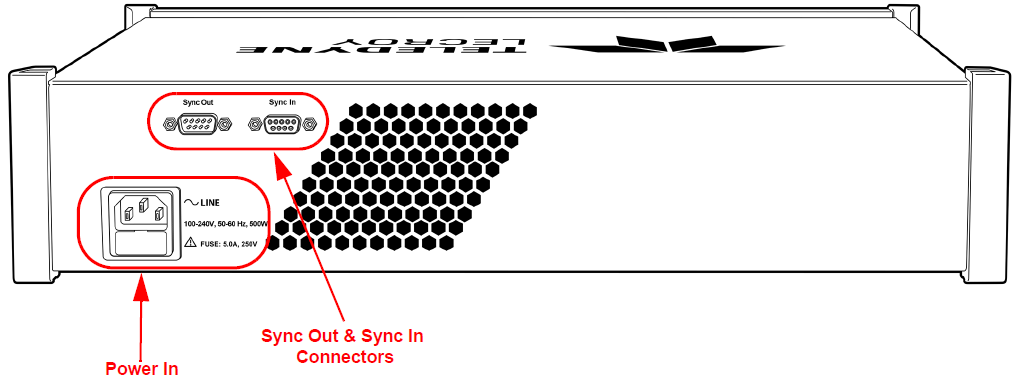
On the back, the M648 Analyzer has Power In and Sync Expansion Connectors.