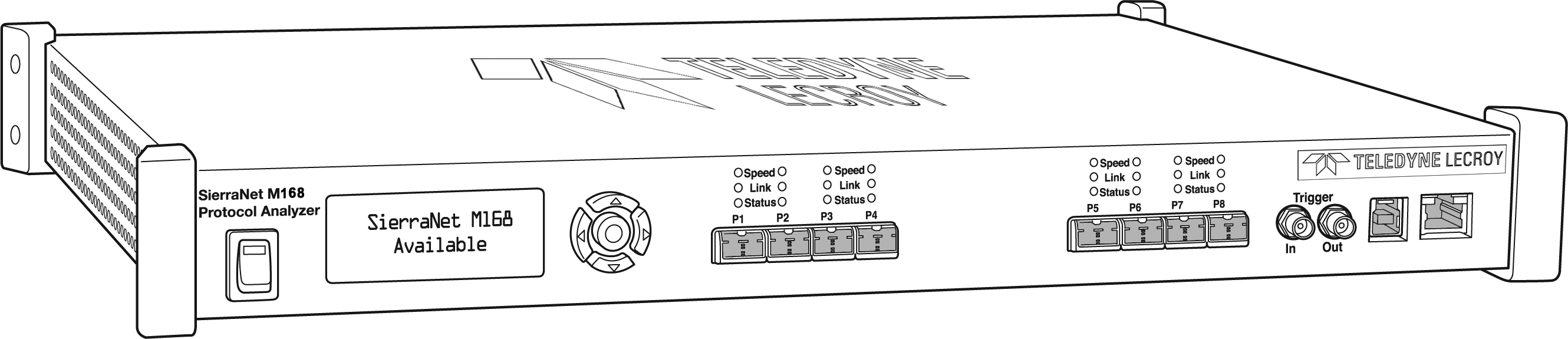
The SierraNet M168™analyzer is based on Teledyne LeCroy’s 40 Gbps Analyzer platform. The M168 has eight SFP+ 10GigE/16G FC ports.
Major features of the M168 include triggering on back-to-back events, use of counters within trigger conditions, and multi-state (up to 24) triggering and filtering state machines with four transitions per state. The analyzer supports “Super Jumbo” events up to 64K. The M168 can also be used to capture and jam 40G Ethernet links using a dedicated “Octopus” cable (P/N 923694-00) and license (sold separately).
The M168 is very portable and can also be rack mounted (1U form-factor). Up to 64 GB of capture memory allow extensive line-speed capturing.
The M168 ports allow signals to pass through without re-timing, ensuring that the test platform is as transparent as possible.
The analyzer can be controlled with either a 1GbE connection to the local network, or a USB connection. The SierraNet M168™ provides the user with an easy to understand control panel and LED indicators.
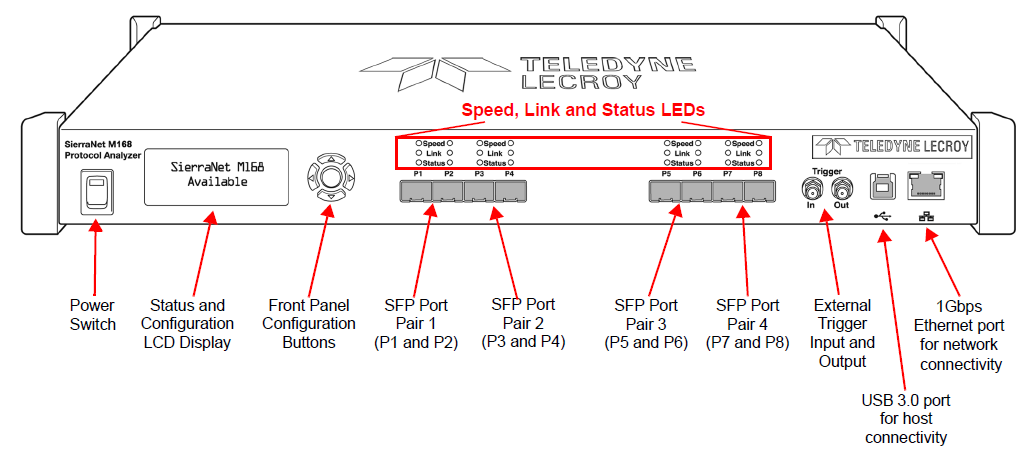
M168 Analyzer Front Panel
The M168 Analyzer has the following front panel features:
M168 LEDs
LEDs indicators support each port link pair (P1 - P2; P3 - P4; P5 - P6 and P7 - P8) with the following functionality:
|
M168 LEDs |
||
|---|---|---|
|
|
GBE |
Fibre Channel |
|
Speed LEDs (Mode Dependent) |
||
|
Yellow |
|
|
|
Green |
|
|
|
Blue |
N/A |
|
|
Link Activity LEDs |
||
|
Green |
|
|
|
Yellow |
|
|
|
No Color |
|
|
|
Status LEDs |
||
|
Yellow Blinking |
|
|
|
Yellow |
|
|
|
Red |
|
|
|
No Color |
|
|



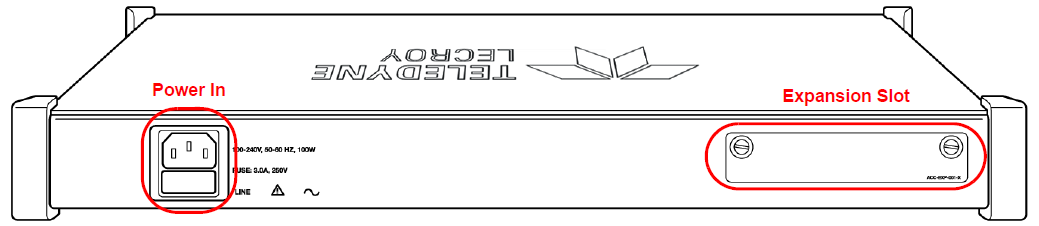
M168 Rear Panel
On the back, the M168 Analyzer has Power In and an Expansion card slot: