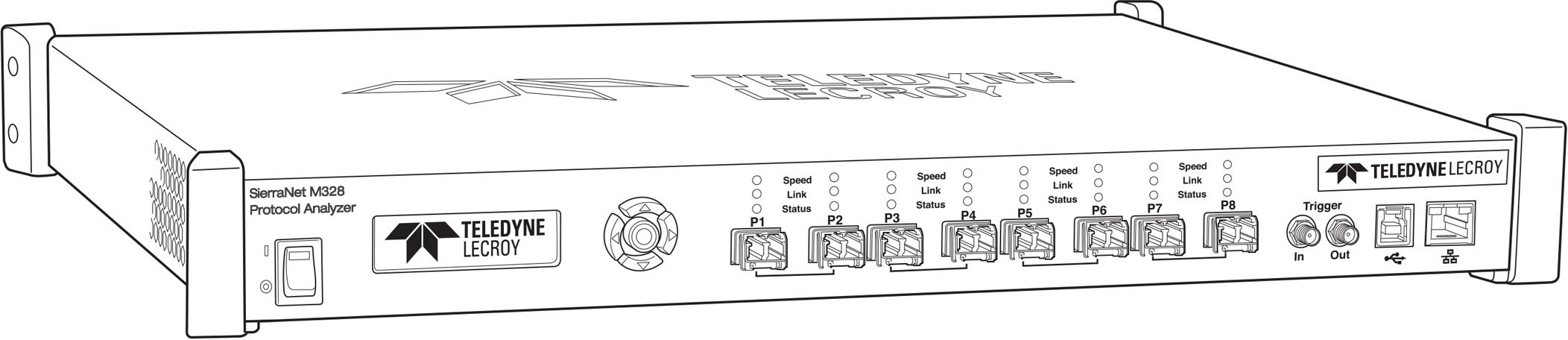
The SierraNet M328 analyzer is Teledyne LeCroy’s SFP+ 10/25/40/50/100 Gigabit Ethernet and Gen6 Fibre Channel Analyzer/Jammer platform. It has eight SFP+ ports. Up to 128 GB of capture memory allows for capturing of extensive line-speed data. The analyzer can be controlled with either a one (1) Gigabit Ethernet connection to the local network, or via a USB connection.
The SierraNet M328 provides the user with easy-to-understand control panel and LED indicators. Major features of the M328 include triggering on back-to-back events, use of counters within trigger conditions, and multi-state (up to 24) triggering and filtering state machines with four transitions per state and FlexPort, which allows concurrent Ethernet and FC analysis.
The Net Protocol Suite™ software for controlling the analyzer and displaying the captured data installs on the latest Microsoft® Windows® version.
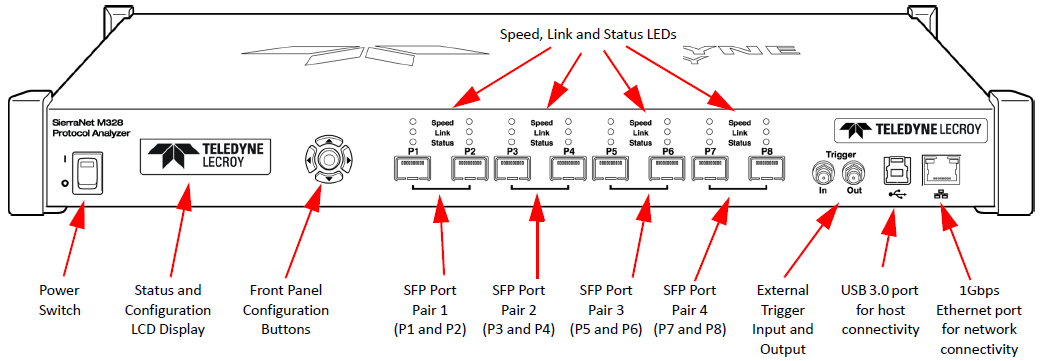
M328 Analyzer Front Panel
The M328 Analyzer/Jammer has the following front panel features:
M328 Analyzer LEDs
LEDs indicators support each port link pair (P1 - P2; P3 - P4; P5 - P6 and P7 - P8) with the following functionality.
|
M38 LEDs |
||
|---|---|---|
|
|
Ethernet |
Fibre Channel |
|
Speed LEDs (Mode Dependent) |
||
|
Yellow |
|
|
|
Green |
|
|
|
Blue |
|
|
|
Link Activity LEDs |
||
|
Green |
|
|
|
Yellow |
|
|
|
No Color |
|
|
|
Status LEDs |
||
|
Yellow Blinking |
|
|
|
Yellow |
|
|
|
Red |
|
|
|
No Color |
|
|



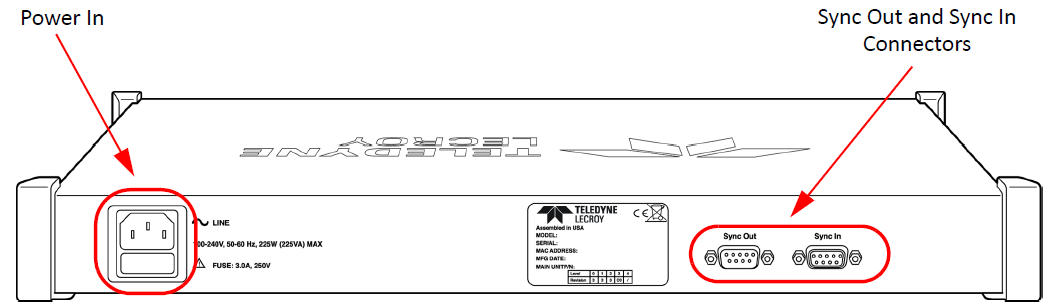
M328 Analyzer Rear Panel
On the back, the M328 Analyzer has Power In and Sync Expansion Connectors.