Timer
You can set a timer independently of any other trigger selection, to cause an unconditional trigger after a set time.
Double-click Timer in the Pattern window to open the Add Timer Pattern window. Check a Time Unit, enter the Timer Value, and click OK.
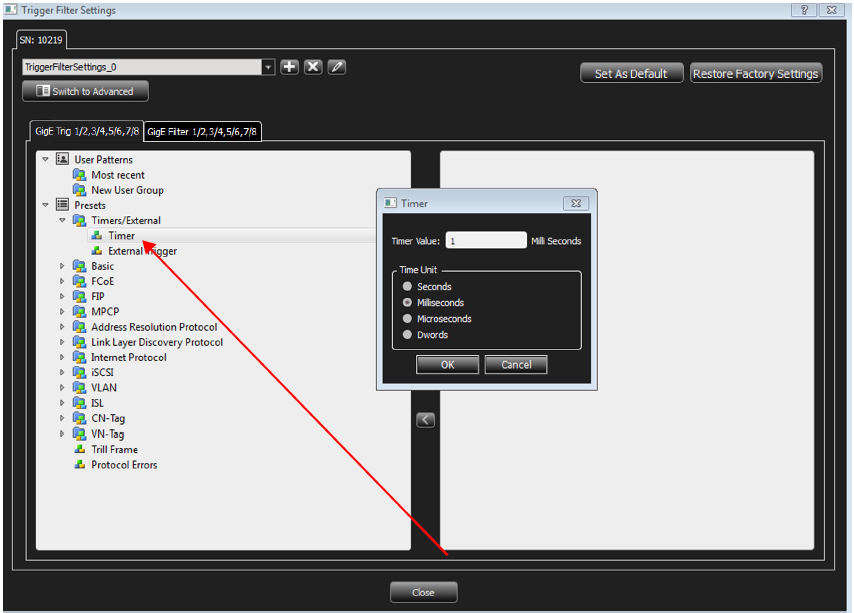
Note: The timer resolution is limited to one DWORD. The minimum value is 12-13 DWORD.
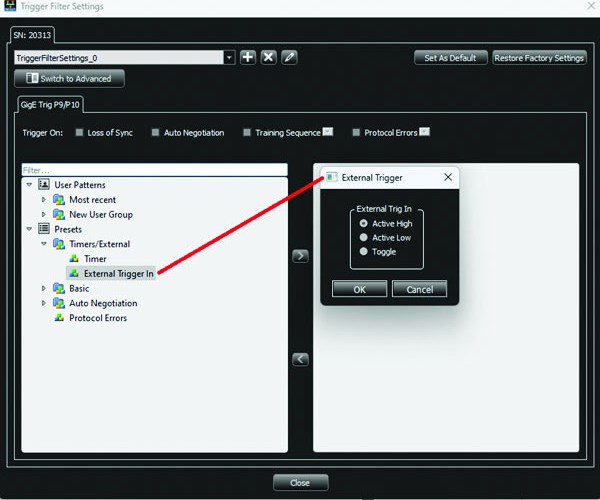
External Trigger In
Use this event to trigger the analyzer from an external source, such as a scope or other test equipment, by attaching the source to the input for External Trigger In. Double-click External Trigger In in the pattern window to open the External Trigger In settings dialog. Choose the desired setting and click OK.
Note: The External Trigger In setting here will override the device External Trigger In setting in External Trigger.