
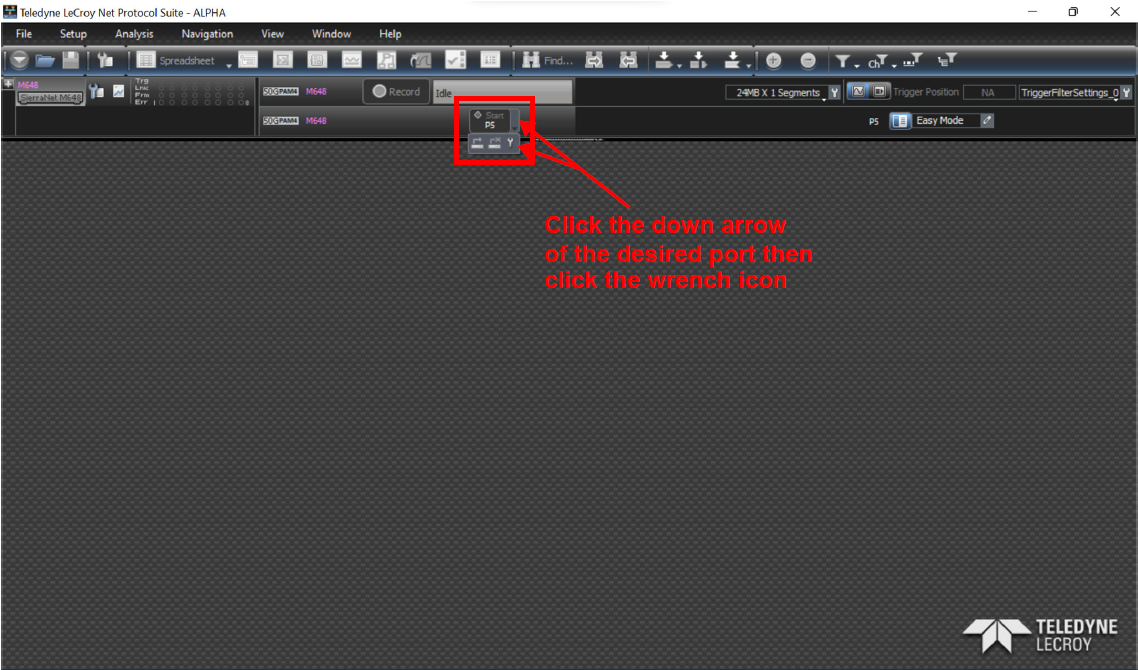
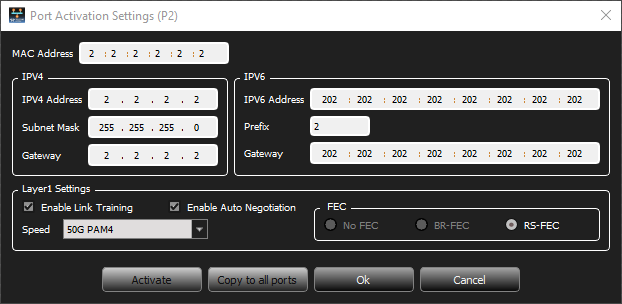
To define the Port Activation Settings, click the down arrow for the Start/Stop Session button for the desired port then click the wrench icon. The Port Activation Settings dialog box displays.
-
Fill out all addresses.
-
Set the desired traffic generation speed.
-
Enter Layer1 settings.
-
When finished, click Ok.