
Each defined Exerciser port has a Start/Stop Session button, with a three-option drop-down menu. Pressing Start automatically activates the Exerciser and starts the traffic defined in the Port Settings.
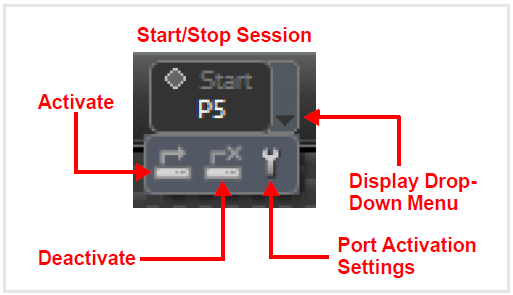
The three options are as follows:
-
Activate: Brings the link up, based on the Port Activation Settings (see below). Once activated, the Exerciser will respond to Ethernet requests if/as defined in the Port Settings
-
Deactivate: Link goes down.
-
Port Activation Settings: Defines the parameters for the port.