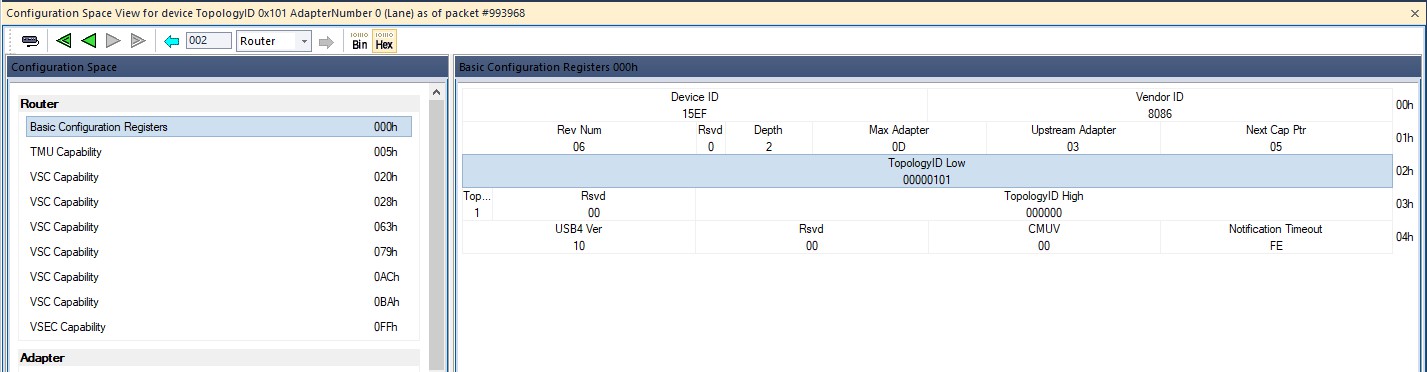
USB4 Configuration Space View shows decoding of USB4 configuration space capabilities.
Open USB4 Configuration Space View
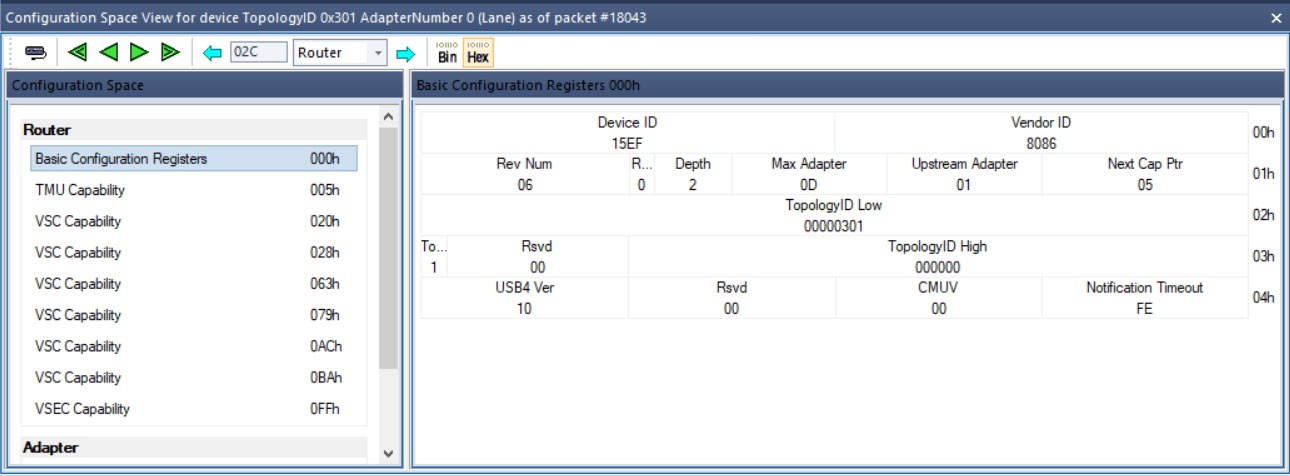
To open USB4 Configuration Space View, from the Report menu click USB4 Configuration Space. Select the specific device by selecting the Topology ID and Adapter Number.
NOTE: USB4 Configuration Space may not be available if there are no Control Packets for USB4 traffic in the trace.
To change the selected device, you can do one of the following:
-
From the Report menu, select USB4 Configuration Space.
-
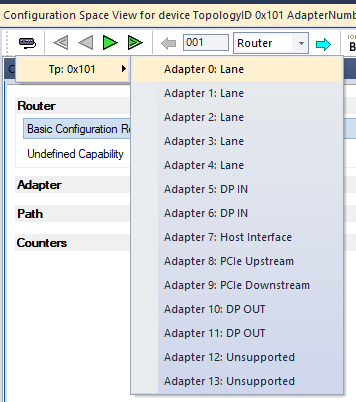
Click Select another device

USB4 Configuration Space View Structure
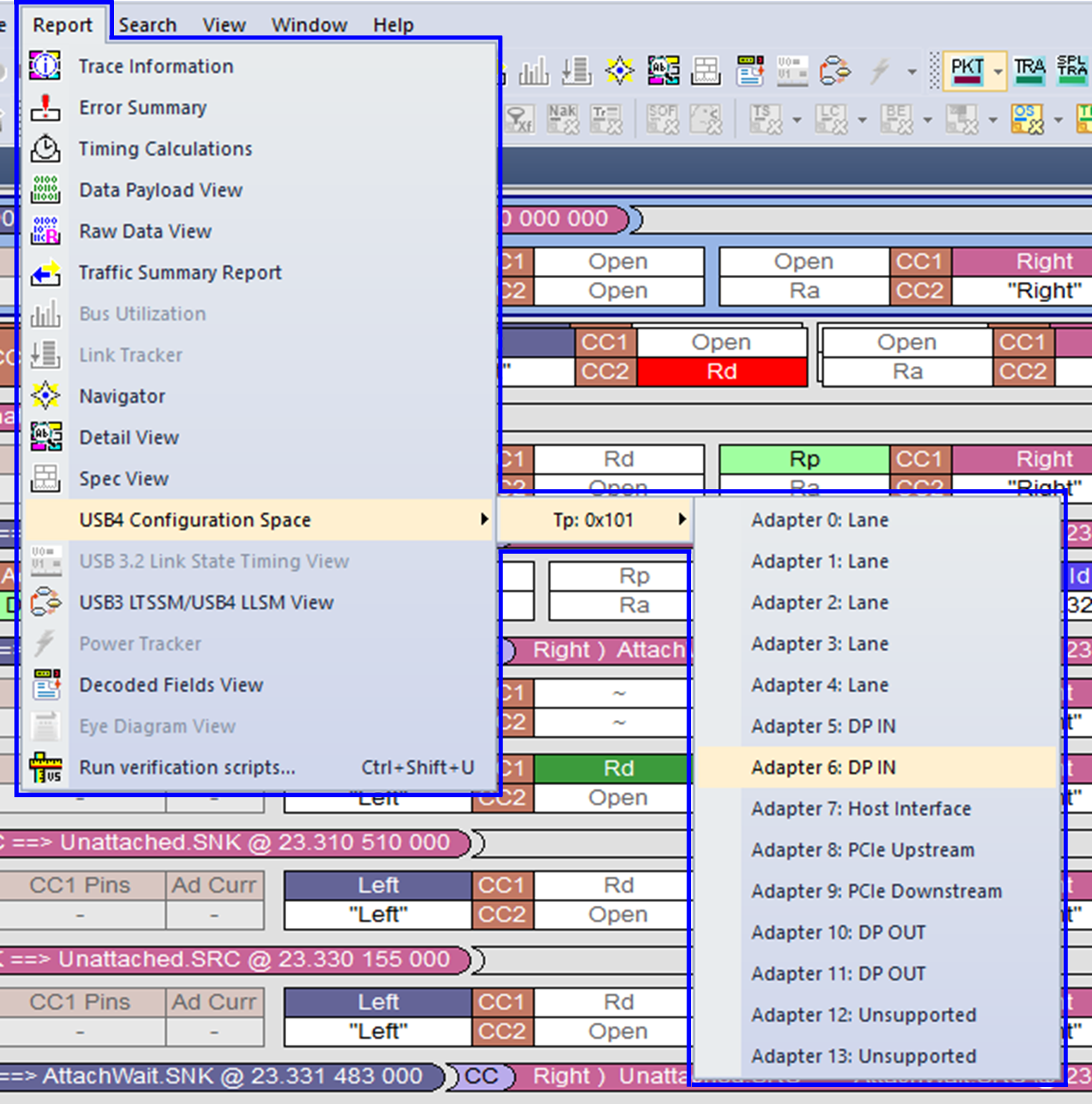
The USB4 Configuration Space View consists of four main components:
-
Caption Bar: Contains useful information about the USB4 Configuration Space View state.
-
Navigation Bar: Contains buttons for selecting devices, navigating through Configuration Spaces, and selecting data format.
-
Headers View: Lists Configuration Spaces and available capabilities with start addresses.
-
Capability View: Displays decoding of selected capability.
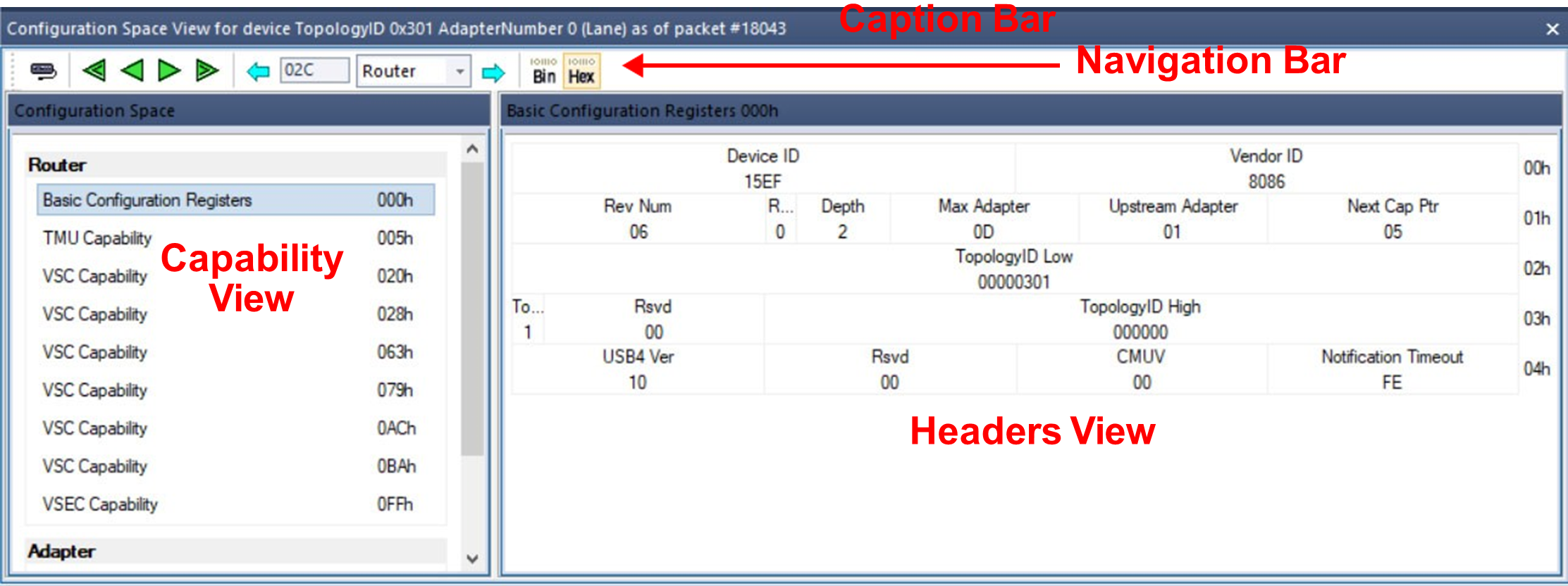
Caption Bar
The Caption Bar displays information about the current USB4 Configuration Space View state.

The Caption Bar shows the selected device (TopologyID and AdapterNumber) and adapter type. It also shows the current packet number.
Navigation Bar
The Navigation Bar contains buttons for working with USB4 Configuration Space View.
|
Button |
Description |
|
|
Select another device. Provides the same functionality as selecting Report > USB4 Configuration Space. |
|
|
Navigation through packets. Buttons provide navigation to the first, previous, next, and the last control transfer for the selected device. |
|
|
Navigation through Configuration Spaces. Provides the ability to select a specific Configuration Space and address and go to the previous or next packet with the specified parameters. While navigating through packets, the Address and Configuration Space fields display parameters for the current packet. |
|
|
Select Binary or Hexadecimal format for Configuration Space data. |

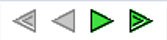


Headers View
Headers View displays a list of Configuration Spaces and available capabilities with their start addresses.
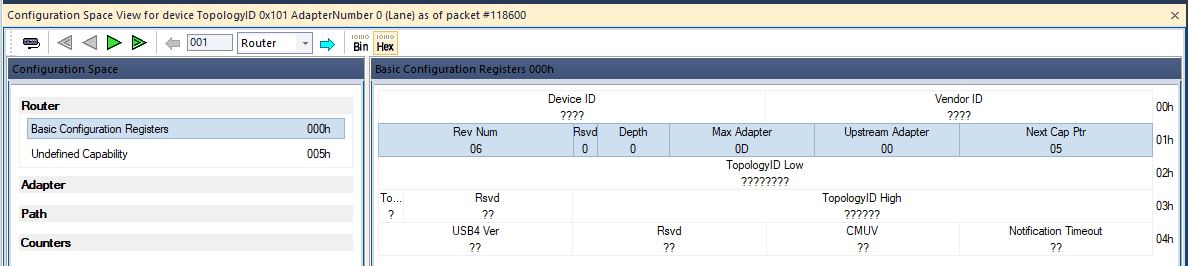
NOTE: Headers View shows capabilities as packets get access to the Configuration Spaces. For example, Headers View contains only one capability at the first packet, and all the capabilities accessed in trace through the very last packet. Content of USB4 Configuration Space View appears as you navigate through packets.
Capability View
Capability View displays layout and data of the selected capability.
NOTE: Capability View shows data of Configuration Space as packets get access to the Configuration Spaces. For example, Capability View contains only one piece of the single available capability at the first packet, and all the data accessed in trace through the very last packet. Content of the USB4 Configuration Space View appears as you navigates through packets.
Router & Adapter Capabilities Appearance
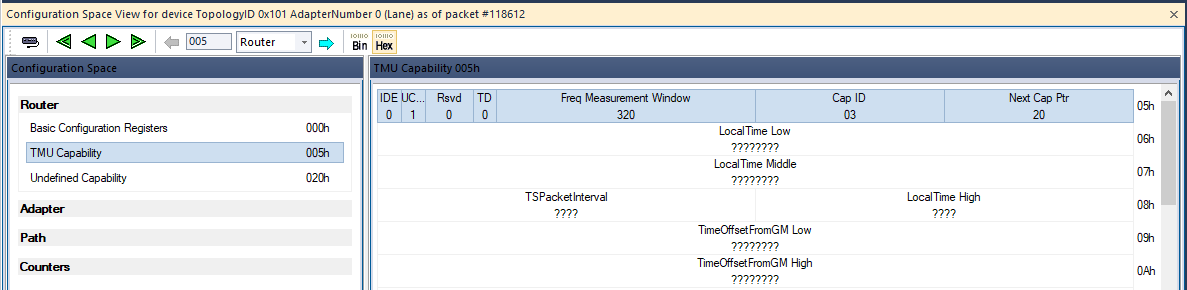
Router and Adapter Configuration Space uses field Next Cap Ptr to detect next capability. Router and Adapter capabilities (except Basic Configuration Registers) appear in Headers View as soon as the previous capability gets access to Next Cap Ptr. However, at this moment, there is no way to detect the type of capability, so it appears as Undefined Capability and its type is detected later.
Examples
The first packet reads the DWORD of Router Basic Configuration Registers with field Next Cap Ptr, so now Headers View contains Basic Configuration Registers and Undefined Capability at address 0x5.
A few packets later, the DWORD at address 0x5 is read and USB4 Configuration Space View detects that this is Router TMU Capability. Also, since Next Cap Ptr is read, next Undefined Capability appears at address 0x20.
Truncation of USB4 Capability Layout
Some capabilities may be truncated because of next capability. If Next Cap Ptr points at the address before the end of a capability, layout of this capability is truncated.
For example, in the figure below, Router Basic Configuration Registers has Next Cap Ptr = 0x5. Generally, basic registers are more than 5 DWORDS long; however, here, USB4 Configuration Space View truncates decoding of basic registers to start a new capability at the address 0x5.