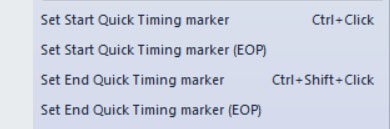
Quick Timing Markers can be used to quickly measure the time from the start or end of one packet to the start or end of another packet. Simply right-click on the number or timestamp of any two packets upon which you’d like to place Start and End markers and select one of the Quick Timing options.
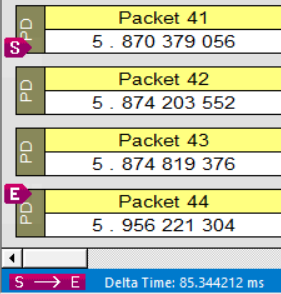
The results are shown in the Quick Timing Bar at the bottom of the Trace View.
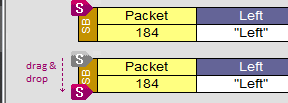
Once markers are placed, you can drag-and-drop them between Start of Packet and End of Packet, or even onto different packets.