
Before creating a script, read the Voyager USB 3.2/USB4/PD Exerciser Generation Script Language Reference Manuals to become familiar with all parts of a script and their order, learn about the commands and their parameters, and see an example script.
To create a script, do the following.
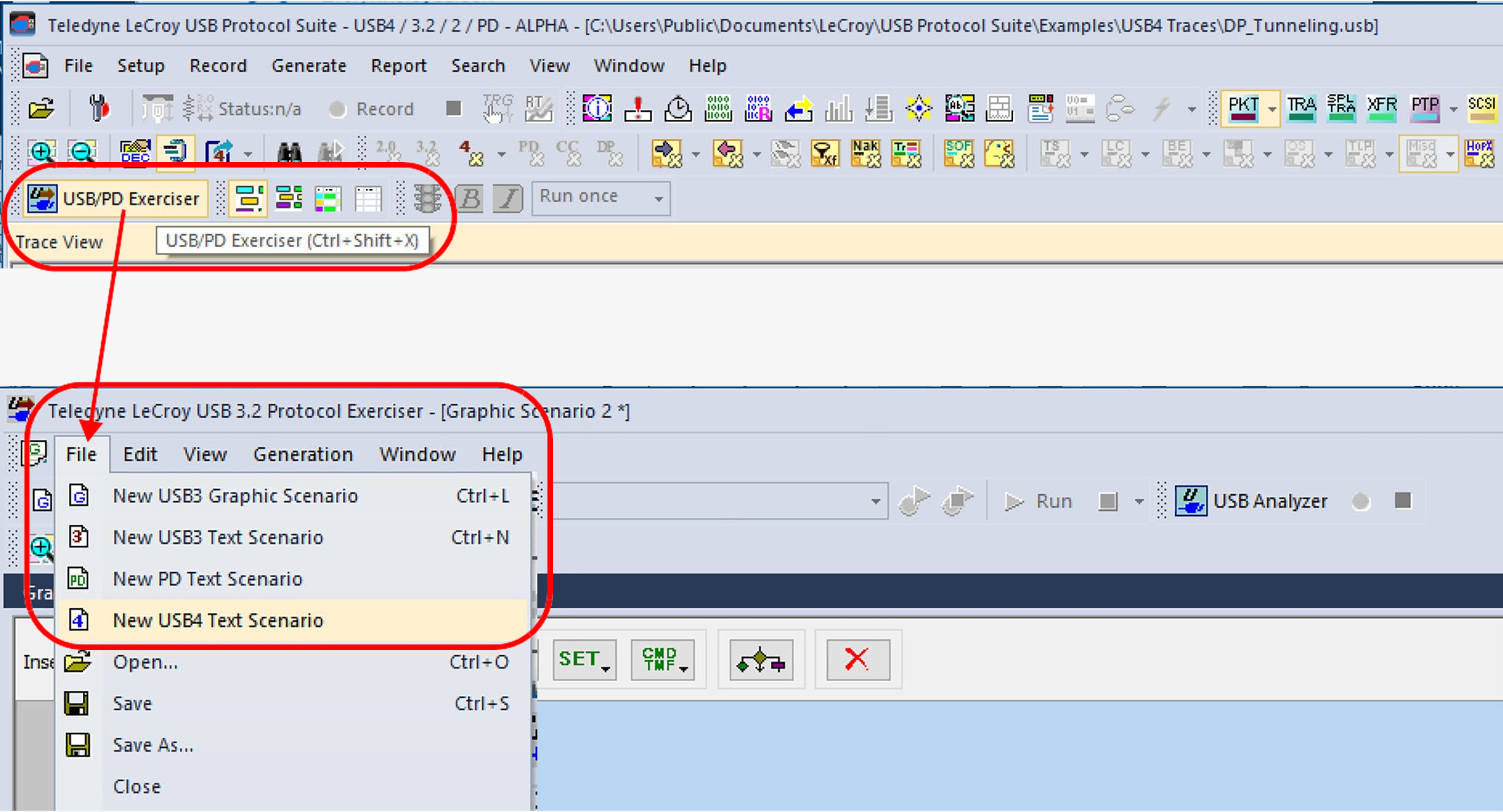
-
Click

An example of a new USB3 Script Scenario is shown below.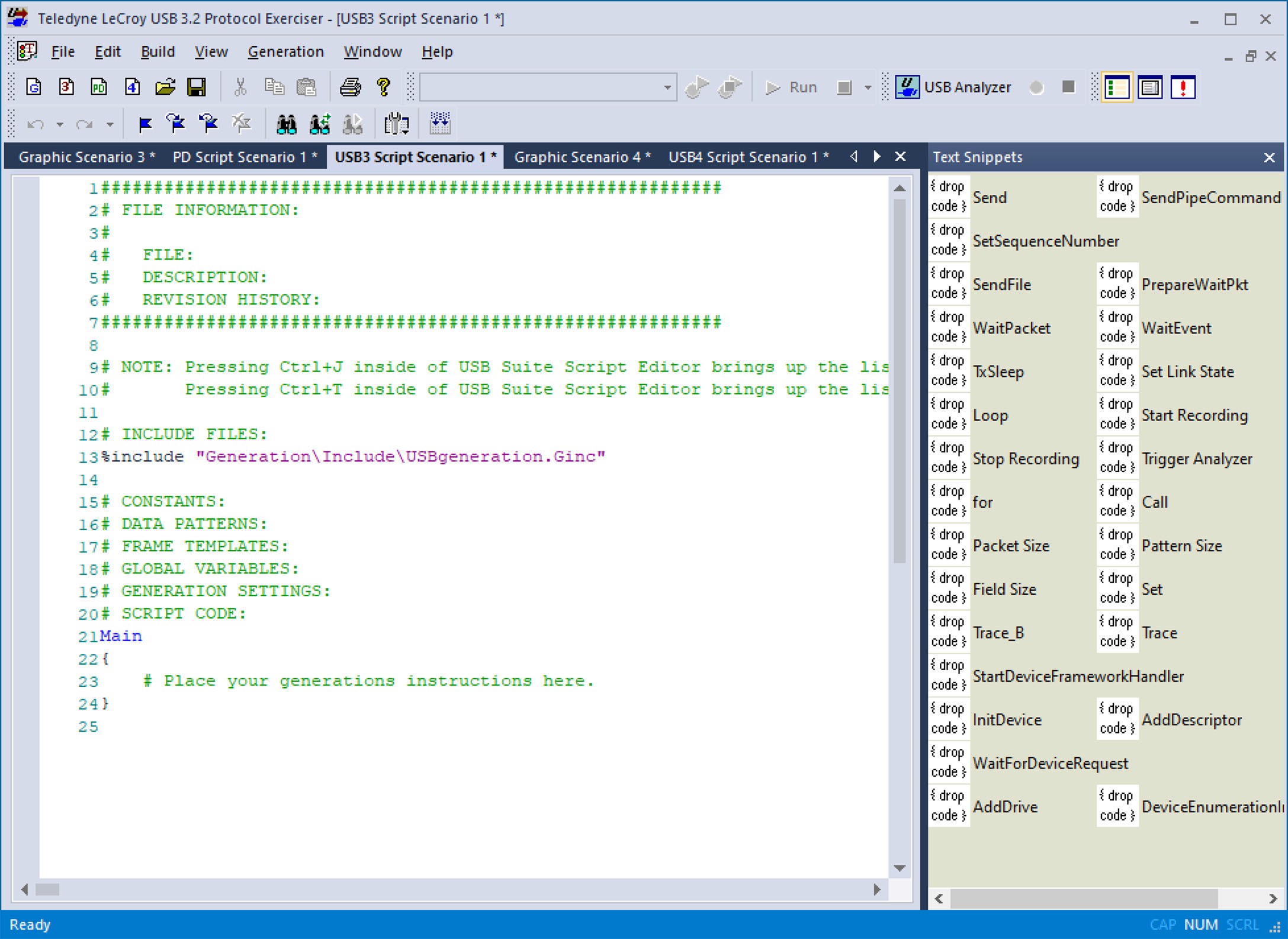
New Script Scenario -
(Optional) Use the Text Snippets to add commands and parameters.
-
Click Compile or go to Build > Compile to check the file for errors. The application lists any errors in the Errors tab.
-
Click Save button or go to File > Save.
NOTE: Saving the file automatically compiles it.