
The LeCroy USB Mercury T2C™ USB 2.0 and Power Delivery protocol analyzer is a verification system for USB development and testing. It supports USB 2.0. It is designed to record USB traffic and graphically present the logical transactions and events. It connects to a laptop or desktop host machine via USB 2.0. The Mercury T2C is powered by the USB Type-C cable, so no additional power cord is needed.
Components
The Teledyne LeCroy Mercury T2C analyzer package includes the following:
-
One Teledyne LeCroy USB Mercury T2C analyzer
-
Six USB cables: 2x A-C, C-B, C-uB, C-C, C-A receptacle
-
Quick Start Guide
Front Panel
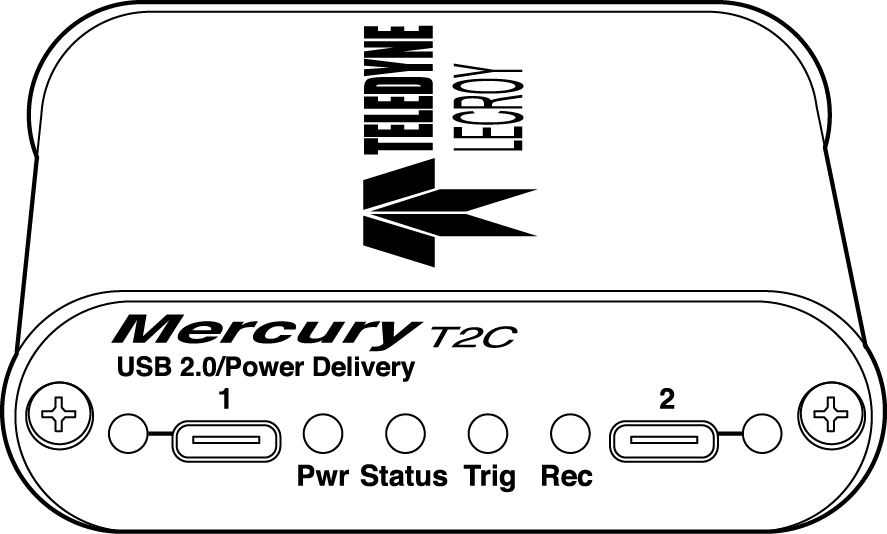
The front panel has the following indicators and connectors.
|
Indicator/Connector |
Description |
|
Connector 1 LED |
Green – Good Red – Flip it over! Solid Yellow – Special Condition. |
|
Analyzer Connector 1 (downstream) |
Connects to Device under test (UFP) |
|
Power LED |
Green when on |
|
Status LED |
Blue if system successfully initializes. Red while booting. If red for more than a minute, hardware failure. Green while initializing. |
|
Analyzer LEDs Trig – Trigger Rec – Recording |
Green when triggering Red when recording is enabled |
|
Analyzer Connector 2 (upstream) |
Connects to Host under test (DFP) |
|
Connector 2 LED |
Green – Good Red – Flip it over Solid Yellow – Special Condition |
Rear Panel
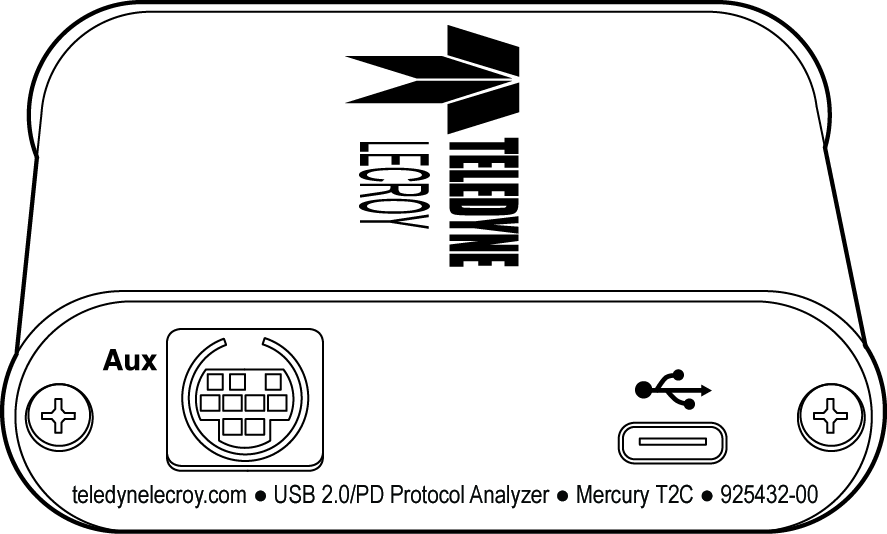
The rear panel has the following indicators and connectors.
|
Indicator/Connector |
Description |
|
USB |
Type C connector for connection to host machine |
|
Aux |
9-pin Mini DIN connector, used for External Trigger In and Out BNC connections (Cable sold separately, part # AC032XXA-X)
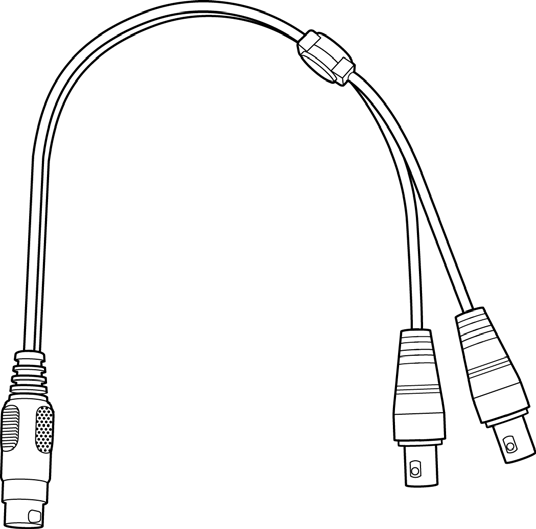
|
|
Trigger In |
Bayonet connector external trigger input. NOTE: Edge detected (Rising or Falling) Voltage required. Signal needs to be > 800mV to see a logic “1”, Signal needs to be < 400mV to see a logic “0”. Maximum value of the external input signal which can be input is 5 V. Minimum value is 0 V. |
|
Trigger Out |
Bayonet connector external trigger output. Pulse Width = 280 ns. Pulse Voltage = 3.3 Volts into 1 MegOhms. Pulse Voltage = 2.7 Volts into 50 Ohms. Pulse is positive going. |
WARNING: Do not open the enclosure. No operator-serviceable parts are inside. Refer servicing to Teledyne LeCroy Customer Care.
Specifications
The analyzer has the following specifications.
|
Tool/Utility |
Specification |
|
Power Requirements |
Powered by USB Cable. 5V, 0.5 A |
|
Environmental Conditions |
|
|
Operating Temperature Storage Range Operating Humidity Operating Altitude |
0 to 50 °C (32 to 122 °F) -20 to 80 °C (-4 to 176 °F) 10 to 90%, non-condensing Up to 6560 feet (2000 meters) |
|
Probing Characteristics |
|
|
Connection |
USB 2.0 USB Type-C™ connector cables High Speed USB Connectors Standard cables |
|
Switches |
Power On/Off |
|
Recording Memory Size |
256 MB for traffic data capture, timing, state and other data |
Mercury T2C System Setup
Mercury T2C is configured and controlled through a host machine USB port.
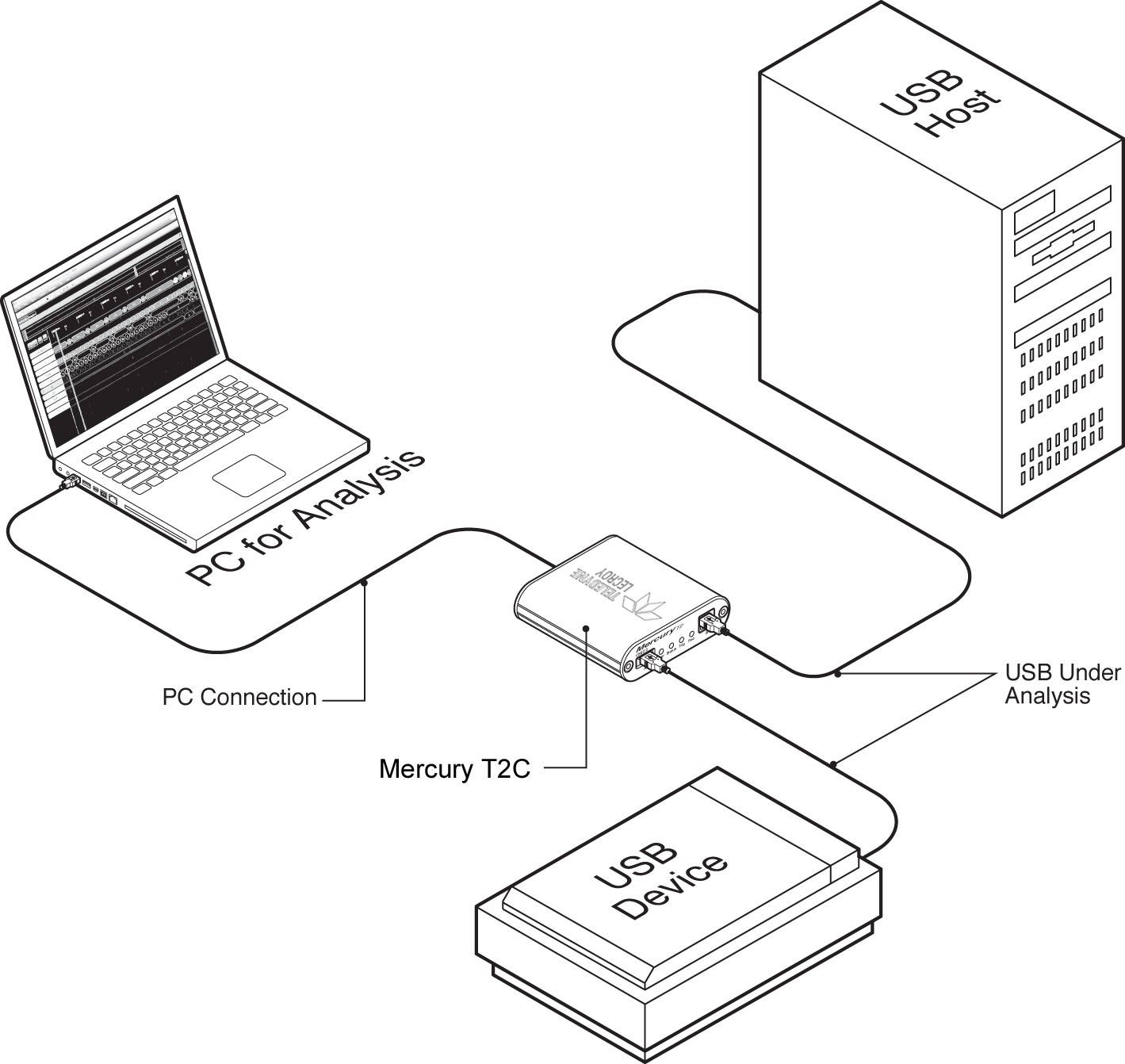
The Device (UFP) should be reconnected to the Connector 1 (Left side), whereas the Host (DFP) should be connected to Connector 2 (Right side).
-
The device and host should be connected to the cables before inserting into the analyzer, so the orientation and UFP vs DFP aspect can be determined.
-
The cables can then be connected to the Mercury T2C.
-
If the LED associated with the Connector shows Red, you need to flip the connector over so it shows Green. The will enable the analyzer to connect all the other signals in a 3.2 cable correctly, allowing the other SS, SS+, or Alternate Modes to work without interruption.