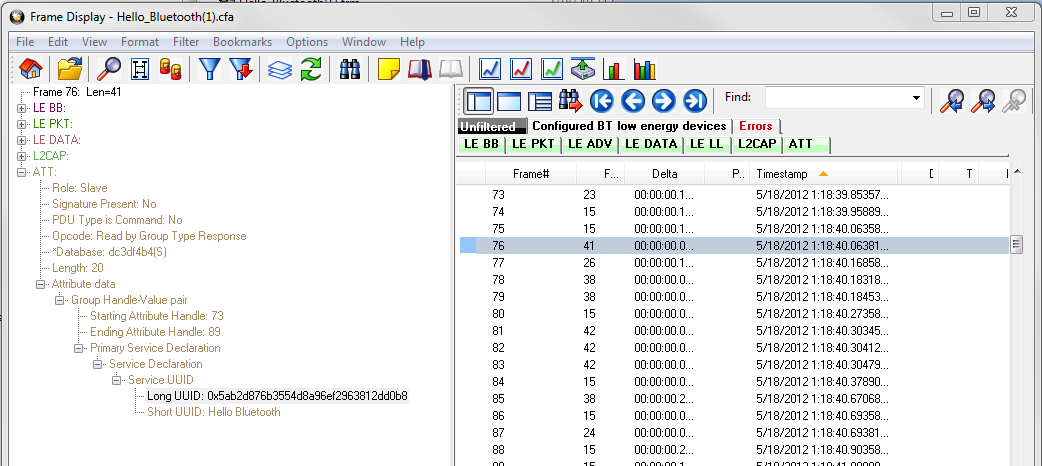
You can download the capture file from the Frontline website: http://www.fte.com/downloads/CFA/Hello_Bluetooth.cfa. Save the downloaded file.

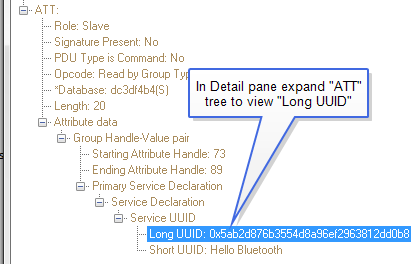
Double click on the .cfa file to open it in an installed analyzer, or you can open the capture file from the Control Window File menu by clicking on Open Capture File…. When open, activate the analyzer Frame Display with the default panes active. In the Summary pane, navigate to and select frame “76”. In the Detail pane expand Frame 76 “ATT” branch to display the “Service UUID”, “Long UUID”.
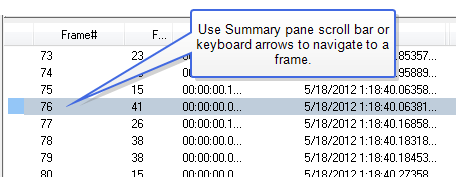
In Frame 76, a UUID is mapped to the Hello Bluetooth Service. When the decoder sees the UUID in the frame, it consults a table, “GATT_UUIDs”, to see what it means.
Hello_Bluetooth.cfa in Frame Display
It scans the table and finds the pertinent row.
{ 0x7f000001 "Hello Bluetooth" }
Now it knows that 0x7f000001 means “Hello Bluetooth”. It is that simple.
But wait, where did "0x7f000001" come from? More about that later.
The decoder uses three strategies to recognize a transmitted UUID:
-
For Bluetooth SIG adopted UUIDs, only 16 bits must be transmitted. In that case, the value is compared against the table.
-
For Bluetooth SIG adopted UUIDs, the full 128-bit UUID can be optionally transmitted. In that case, extract the pertinent 16 bits from that 128-bit UUID and use it.
-
For proprietary UUIDs, the whole 128 bits must be transmitted and evaluated. For various reasons, it is converted to smaller 32-bit value which is used.
This is why we see "0x7f000001". It is a value we created to represent the full 128 bit UUID. For a complete explanation of how that works, see Handling 128-bit UUIDs.
In frame 94, a UUID is mapped to the User Name characteristic. Here the decoder does exactly the same thing. It looks up the UUID in the table and finds a text mapping.
{0x7f000002 "User Name" "User Name 0 chHelloBT_UserName}
But there is more in this table entry. It might be necessary to use different text in the analyzer Frame Display Summary and Detail panes, so DecoderScript provides for different fields. The first field is the Summary pane text and the second field is the Detail pane text. If there is nothing after the Summary pane text, the decoder will use that text in both the Summary and Detail panes as it did for the service name. Here the same text is provided in both fields as a place holder for what comes after. The next field, the"0", is for advanced users and is seldom used. The final field is where things get interesting. This the name of a DecoderScript GROUP that will becalled to decode this data. More on that field a bit later.
So to summarize what is going on with this table entry:
When we see 0x7f000002, "User Name" will go in the Summary pane, "User Name" will go into the Detail pane and we do not care about the "0". Finally, when we get some real data associated with this UUID, we will call chHelloBT_UserName to decode it.