
Supported Scripting Languages
Python 2.7.x
Architecture
Theory of Operation
When a trace file is opened by the application, all frames inside the trace will first be decoded by the built-in decoder services. UDD allows you to extend and modify the built-in decoding services to your own definitions and concepts by creating custom decoding scripts, which have the file extension “.udd” and may be stored anywhere on your system. Once a script is created, it must then be assigned to a Protocol Type that exists in the trace file to be decoded. By doing this, the application communicates with your defined and assigned scripts for Protocol Types, initializes the fields and options, decodes the packets related to that specific protocol types, and change the packets structure in the GUI at the end.
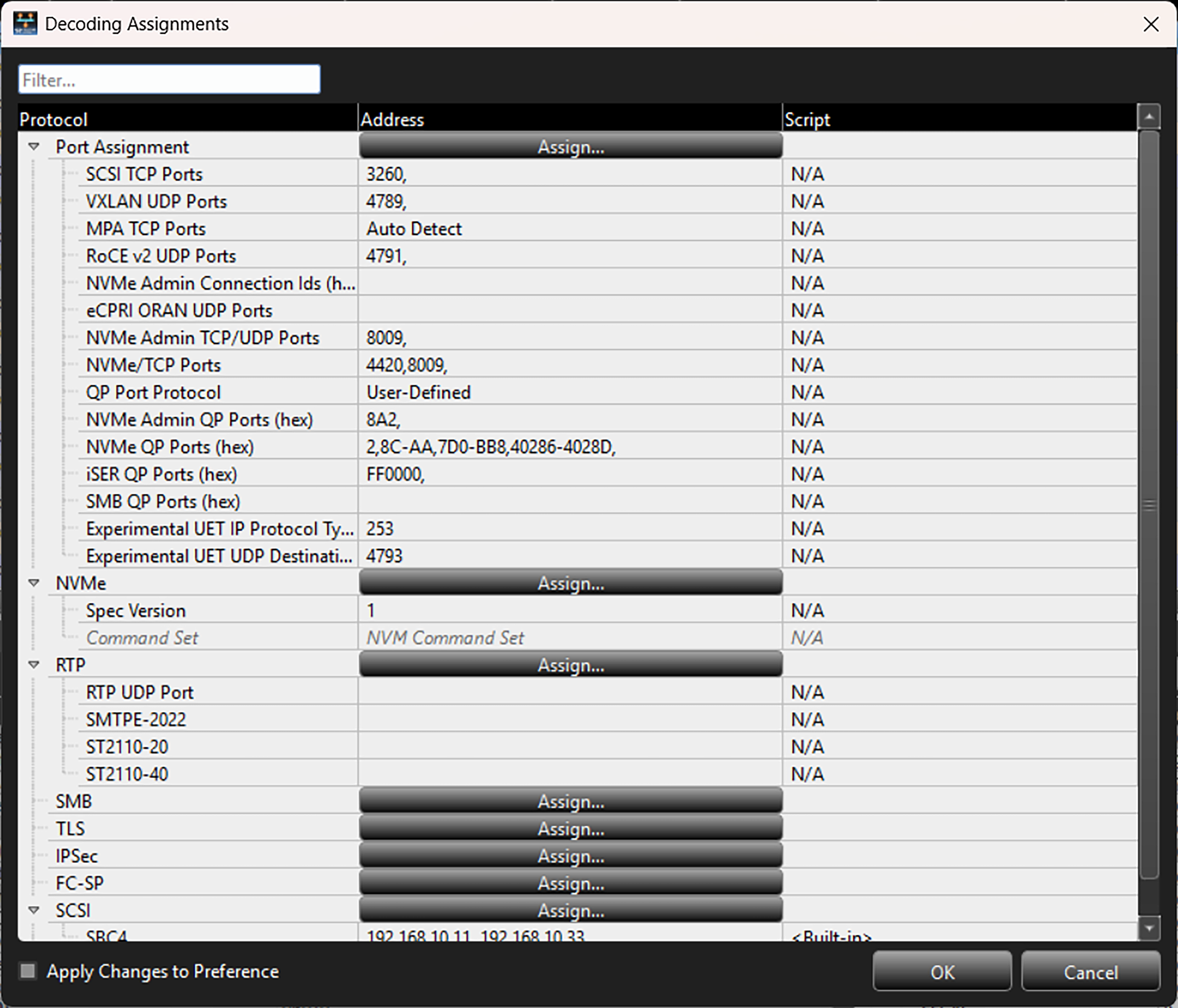
Note: Refer to Decoding Assignments in the Net Protocol Suite User Manual for details on how to assign a script decoder for a protocol.
Decoding Flow
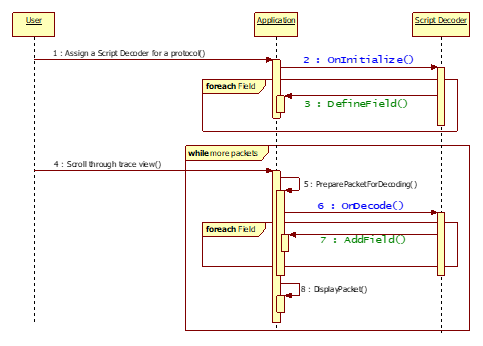
The image above shows a high-level script decoding sequence. It shows that upon being assigned to a protocol in a trace file, a script decoder’s OnInitialize function is called to define the set of fields (e.g., via DefineField) that will be handled by the script. Then, when a packet/frame from the trace file needs to be decoded, the application prepares the raw data and sends it to the script decoder through the OnDecode function, which will add the decoded fields (e.g., via AddField) to the packet/frame.
The entry point functions, OnInitialize and OnDecode, must be implemented in the script by the user. See Entry Point Functions for details on these functions.
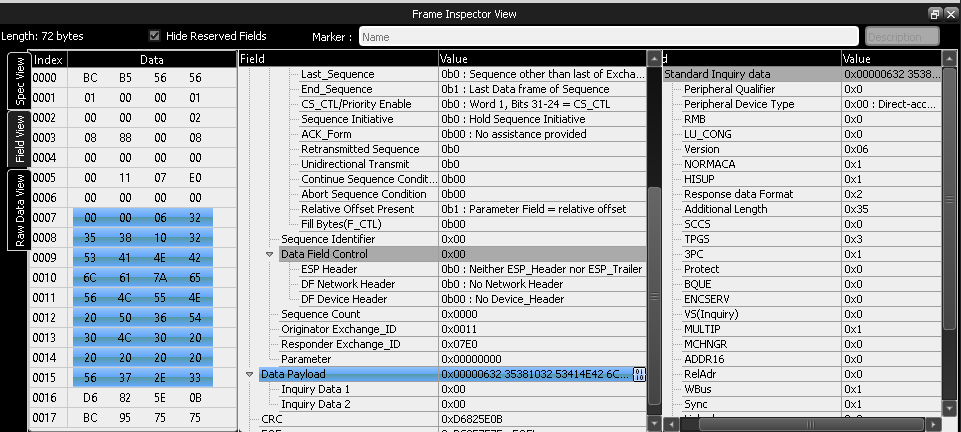
Decoding the Payload of a Frame Using UDD
When using UDD, assigning the file replaces the existing decoding. All existing SCSI decodes are replaced by the new decodes that were added by UDD. To append the existing decoding, use the FCP data decoding feature.
The following UDD example shows how to decode a payload data field.
-
GetFieldToOverwriteDecode(field_name)function is added to incontext object in theOnDecode()callback function. -
GetCommandFieldData(field_name)function is added to incontext object in theOnDecode()callback function. -
Call the
GetFieldToOverwriteDecode(field_name)to get a field in the spec, and the function removes all subfields of the specified field and returns the field to add user defined fields. -
GetCommandFieldData(field_name)function is created for returning field values of corresponding command packet of the current packet, if it exists.
Script Structure
from UDDEnum import *
def OnInitialize (spec):
    # Initialize the Fields

def OnDecode (incontext):
    # Do the Decoding
    out.Result = 1